 Instant Savings
 Rebate Claims
 Support
 Find a Dealer
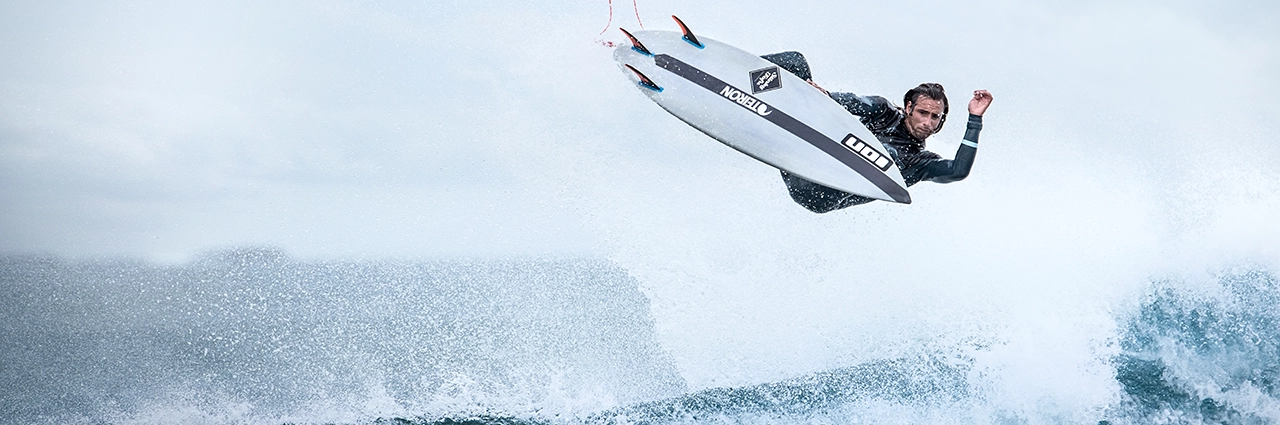
Adjusting brightness is one of the most important aspects of creating well-balanced photos. Among the three key elements of exposure — aperture, shutter speed, and ISO — shutter speed plays a particularly powerful role. It not only determines how bright or dark your image appears but also how motion is rendered, letting you freeze action or introduce motion blur for artistic effect.
This guide explains the fundamentals of shutter speed, what shutter speed is, how shutter speed works, how to adjust it for different shooting situations, and how to use it creatively to enhance your photography.
What You’ll Learn In This Article:
- How shutter speed affects brightness, motion blur, and sharpness
- The relationship between aperture, ISO, and exposure time
- When to use fast or slow shutter speeds for artistic effects
- Recommended shutter speed settings for portraits, sports, and night scenes
- How to use Shutter Priority Mode and Exposure Compensation effectively
What is Shutter Speed?
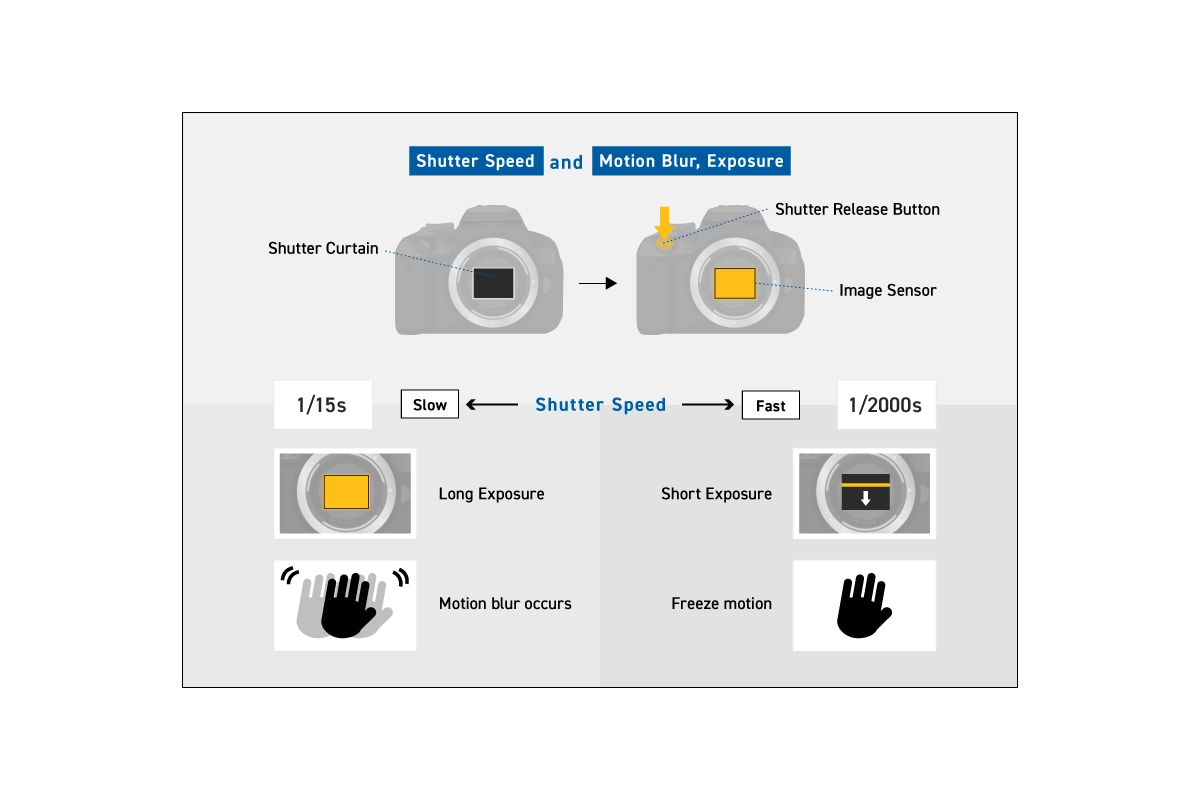
Shutter speed refers to the length of time the camera’s shutter remains open to let light reach the image sensor. In mirrorless and DSLR cameras, this exposure time determines how motion and brightness appear in your final image.
Shutter speed is expressed as a time value, such as “30 seconds,” “1 second,” or fractions like “1/60 sec” or “1/1000 sec.” The higher the denominator, the faster the shutter speed and the shorter the exposure.
For example:
- 1/1000 sec freezes a sprinter mid-stride.
- 1/30 sec allows visible motion blur in moving subjects.
By understanding how to control shutter speed, you can transform an ordinary moment into an extraordinary photograph.
How Shutter Speed Works Inside a Camera
How shutter speed works comes down to controlling how long a camera’s sensor is exposed to light. In mechanical shutters, a physical curtain opens and closes to expose the sensor. In electronic shutters, the sensor turns on and off electronically for a set amount of time. Faster shutter speeds shorten exposure to freeze motion, while slower speeds lengthen exposure to capture movement and light.
When you press the shutter button, the camera begins the exposure process by allowing light to reach the image sensor for a specific amount of time. In cameras with mechanical shutters, this happens using physical curtains that move across the sensor. The first curtain opens to begin exposure, and the second curtain closes to end it.
At slower shutter speeds, the entire sensor is exposed at once. At very fast shutter speeds, the curtains move in sequence, creating a narrow slit that travels across the sensor. Even though the exposure is brief, the full image is still recorded evenly across the frame.
Some cameras also offer electronic shutters, which control exposure by activating and deactivating the sensor electronically instead of using physical curtains. Electronic shutters enable extremely fast shutter speeds and silent shooting, though they can sometimes introduce rolling shutter effects with fast-moving subjects.
What is Shutter Speed Measured In?
Shutter speed is measured in seconds and fractions of a second. Fast shutter speeds are written as fractions like 1/1000 sec, while slow shutter speeds are written as whole seconds, such as 2”. Quotation marks are often used to indicate full seconds. For example, 2” means a two-second exposure. Each step between shutter speeds represents a full stop, meaning the exposure either doubles or halves the amount of light reaching the sensor.
Because shutter speeds use fractions, a larger denominator actually means a faster exposure. For example, 1/1000 sec is much faster than 1/60 sec. Understanding this notation helps you make precise exposure decisions in any lighting condition.
Relationship Between Shutter Speed and Exposure
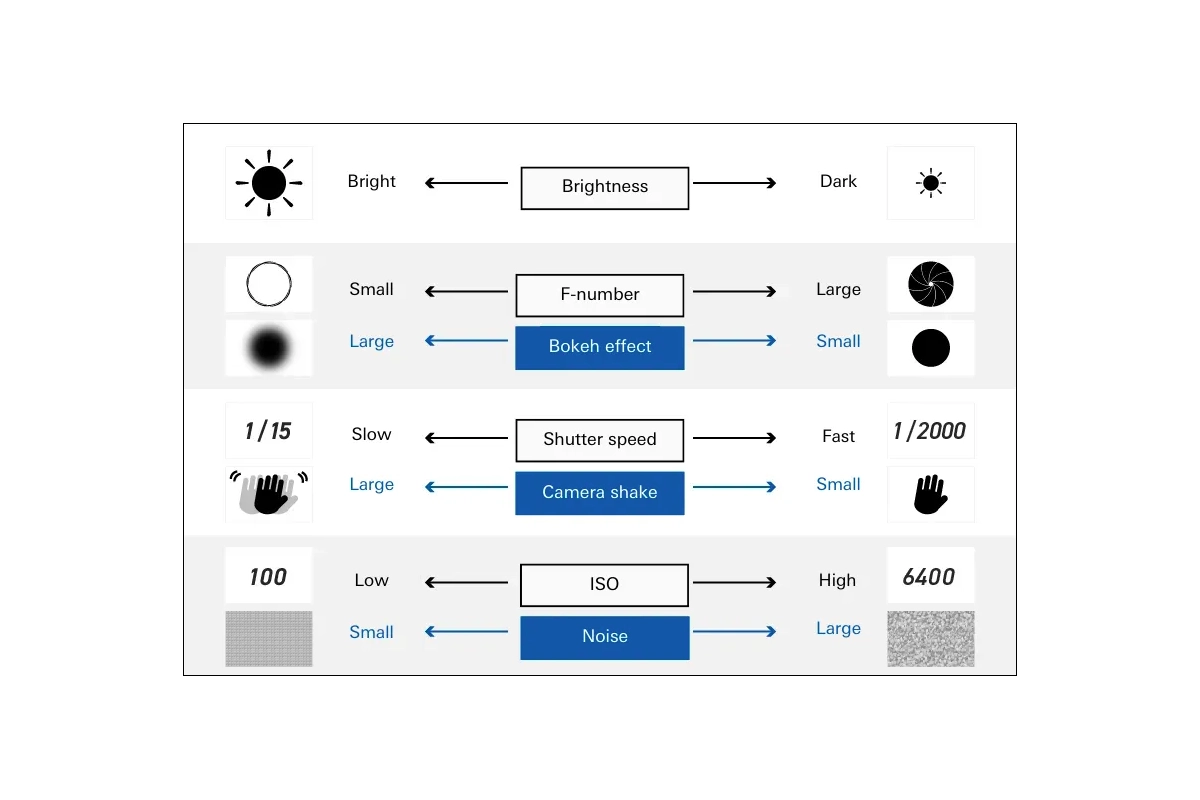
Light that strikes the camera’s image sensor is called exposure, and it’s controlled by three factors:
- Aperture (F-number) controls the size of the lens opening
- Shutter speed controls how long light enters
- ISO sensitivity controls how sensitive the sensor is to light
Here’s how shutter speed affects exposure:
- A fast shutter speed lets in less light → the photo becomes darker.
- A slow shutter speed lets in more light → the photo becomes brighter.
When you change shutter speed, use exposure compensation, or adjust aperture and ISO to maintain the right brightness. For example, when using a fast shutter speed in dim light, lowering the F-number or raising ISO will balance exposure.
What is Shutter Priority Mode?
Cameras with interchangeable lenses include several shooting modes. One of the most useful for beginners learning how to control shutter speed is Shutter Priority Mode (S or Tv).
In this mode, you manually set the shutter speed, and the camera automatically adjusts aperture and ISO to achieve proper exposure. It’s ideal for capturing subjects in motion — such as sports, wildlife, or kids at play — while preventing blur.
If you want full manual control, switch to Manual Mode (M). For situations where depth of field is more important, use Aperture Priority Mode (A or Av) instead.
When to Change Shutter Speed vs Aperture or ISO
Choosing which exposure setting to adjust depends on your creative intent. Understanding shutter speed vs aperture helps you decide whether you should prioritize motion control or depth of field.
- Adjust shutter speed to depict motion: Shutter speed should be your first adjustment when motion is the primary concern in a scene. If your subject is moving quickly or you want intentional blur, shutter speed directly controls that result.
- Adjust aperture to express depth of field: Aperture should be adjusted when depth of field matters most, such as isolating a subject with background blur or keeping an entire scene in focus.
- Adjust ISO to add brightness: ISO should be increased only when you need additional brightness without changing motion or depth-of-field characteristics.
By making intent-based decisions, you maintain creative control instead of letting the camera guess your priorities.
Fast Shutter Speeds: Freeze the Moment
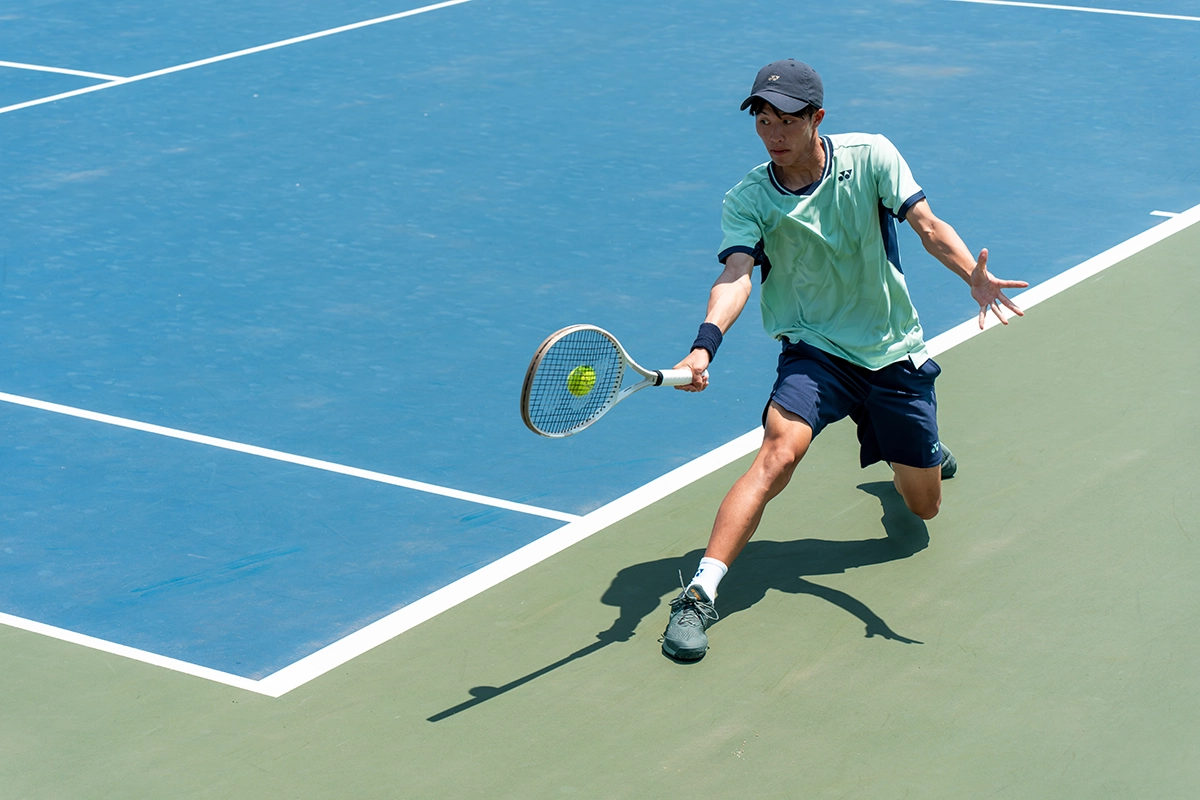
Fast shutter speeds (e.g., 1/500 sec to 1/4000 sec) stop motion and allow you to capture split-second action sharply.
Use fast shutter speeds when photographing:
- Sports like basketball, baseball, or tennis
- Birds in flight or wildlife
- Vehicles or water splashes
- Bright outdoor scenes
Be aware that faster shutter speeds reduce the light entering the camera, so you may need a wider aperture or higher ISO in darker environments.
Slow Shutter Speeds: Express Motion and Atmosphere
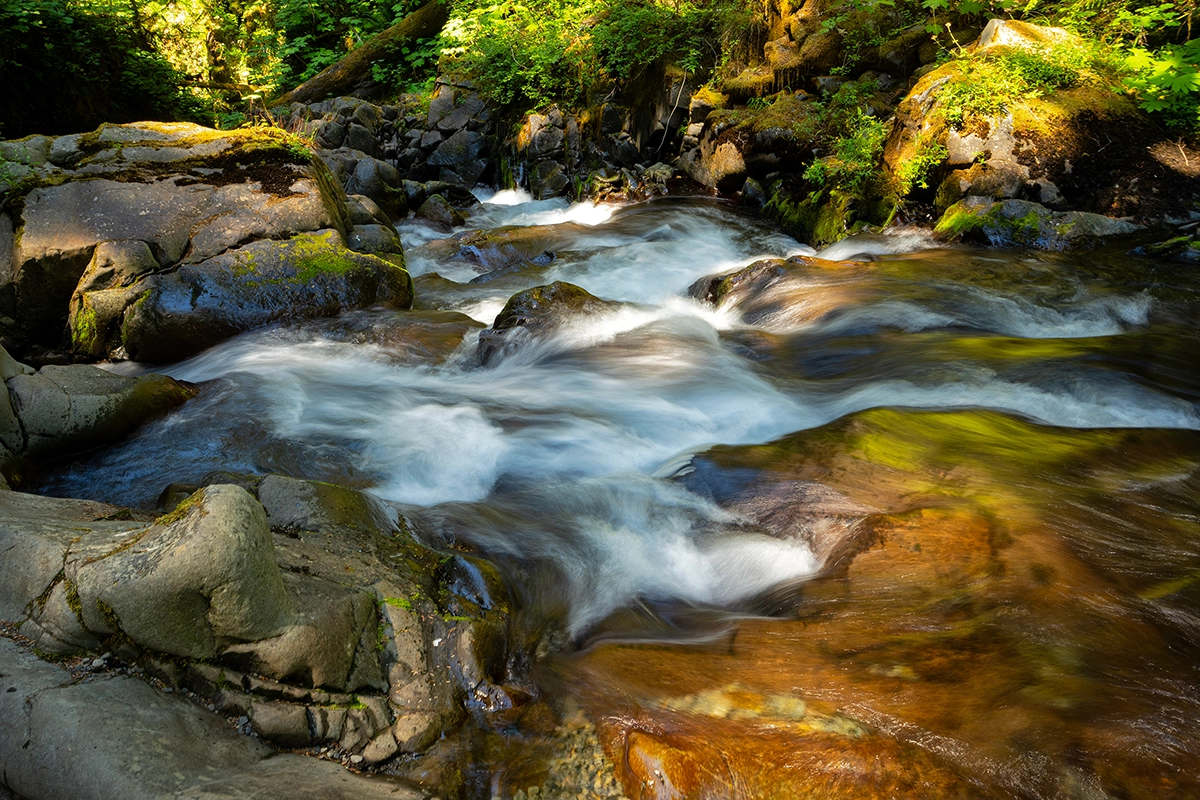
A slow shutter speed (such as 1 second, 10 seconds, or longer) keeps the shutter open for an extended period, allowing more light in. This technique works beautifully for:
- Night scenes and cityscapes
- Waterfalls and rivers (silky water effect)
- Light trails from cars or fireworks
- Star trails in astrophotography
Because longer exposures increase the risk of camera shake, use a tripod, remote shutter, or camera’s self-timer for sharp results.
How Shutter Speed Affects Motion Blur and Sharpness
Shutter speed affects sharpness by controlling how movement is recorded during exposure. Fast shutter speeds reduce motion blur and produce sharper images, while slow shutter speeds record movement over time, creating blur.
Motion blur occurs when movement happens during the exposure. Blur can come from subject movement or camera shake, which is why faster shutter speeds help keep images crisp when shooting handheld or capturing action.
A photograph can still appear sharp while showing motion if the camera remains steady and only the subject moves. This is why panning techniques work — the subject stays sharp while the background blurs.
Understanding the relationship between movement, shutter duration, and stability helps you decide when blur adds impact and when sharpness is critical.
Guideline for Shutter Speed to Reduce Camera Shake
To reduce blur caused by hand movement, photographers often follow the inverse focal length rule. This guideline recommends using a shutter speed at least as fast as the reciprocal of your lens’s focal length when shooting handheld.
For example:
- 50mm lens → 1/50 sec
- 200mm lens → 1/200 sec
This rule helps minimize camera shake, especially when photographing without a tripod. If you’re using a Tamron lens with VC (Vibration Compensation) image stabilization, you may be able to shoot at slightly slower shutter speeds while maintaining image clarity. However, results vary, so it’s important to test your settings and adjust based on lighting conditions and subject movement.
Common Shutter Speed Mistakes to Avoid
Many shutter speed issues come from mismatched intent and settings.
One common mistake is shooting at slow shutter speeds handheld without stabilization, which often leads to unintended blur. Another is using extremely fast shutter speeds when motion blur could add energy or storytelling to the image. Photographers also frequently choose fast shutter speeds in low light without compensating with aperture or ISO, resulting in underexposed images. Forgetting to use exposure compensation in semi-automatic modes can also throw off brightness.
Understanding how shutter speed interacts with movement and exposure helps prevent blurry or underexposed images.
Recommended Shutter Speeds by Scene
Shutter speed settings vary depending on your subject and creative intent. The chart below summarizes recommended shutter speeds for common photography scenarios.
Quick Scene Tips and Examples of Shutter Speed Effect
Portrait
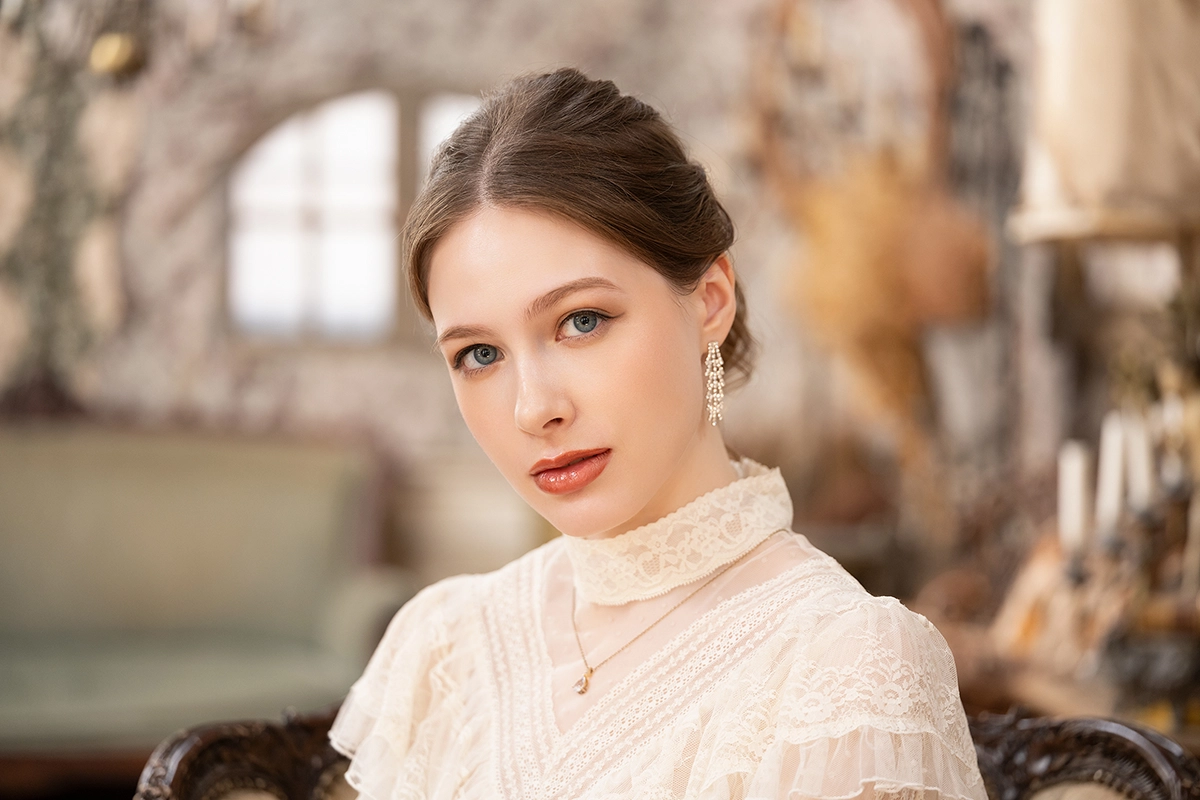
Use 1/60–1/125 sec for most portraits to keep the subject sharp without motion blur. If shooting outdoors or with moving subjects, increase to 1/250 sec.
Pets
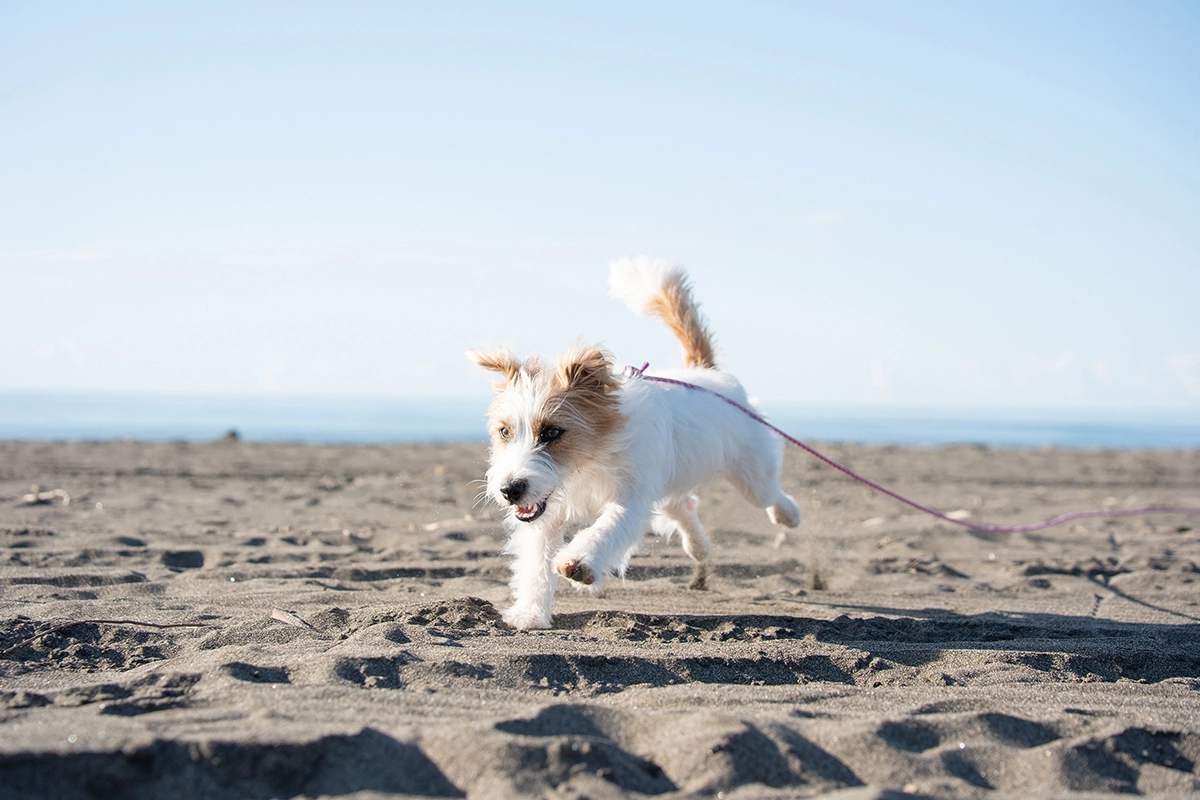
Use 1/250–1/500 sec for most pets to keep fur and facial features sharp while accounting for natural movement. If photographing fast-moving pets or action like running and jumping, increase to 1/1250 sec to freeze motion and avoid blur.
Sports

Fast-moving sports demand 1/1000 sec or faster to freeze movement. Try 1/2000 sec for crisp shots of the ball or expressions.
Birds in Flight

To freeze wing motion in your bird photography, use 1/1000–1/3200 sec. Increase ISO if light is low.
Night Scenes
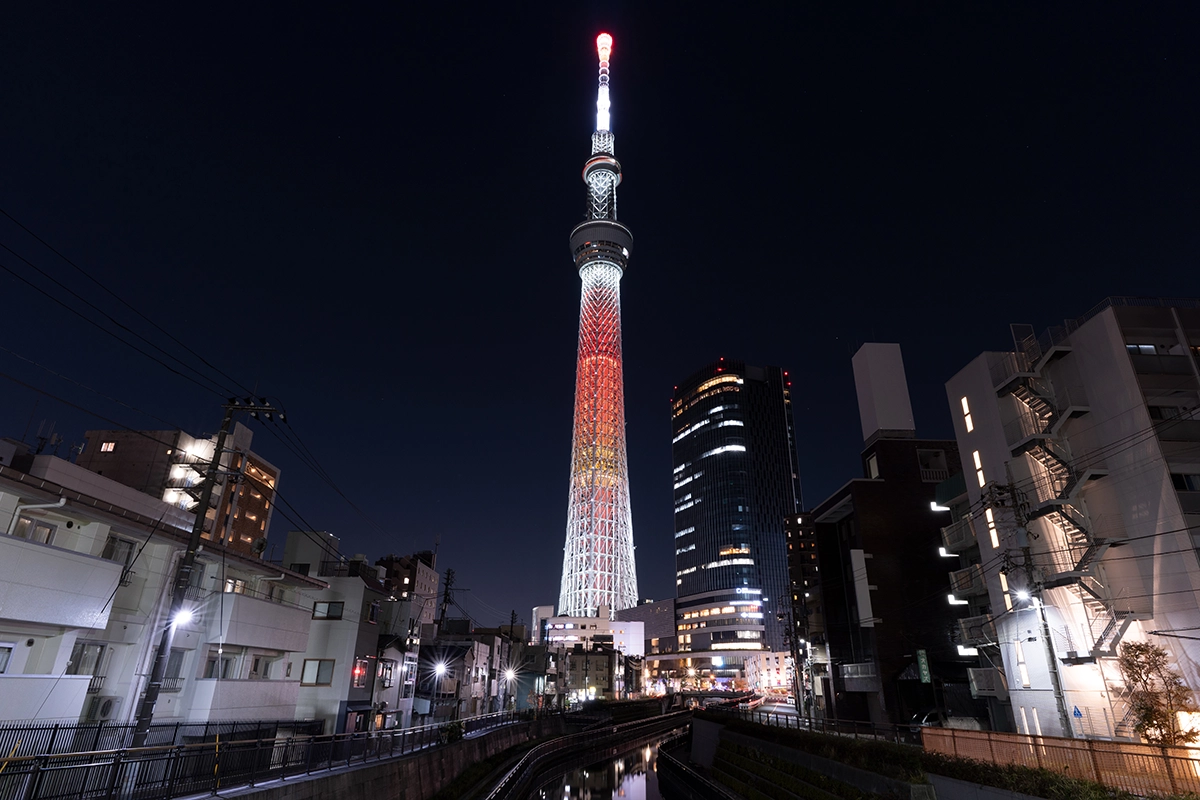
Use 1–30 sec with a tripod for balanced exposures. If handheld, aim for 1/15–1/60 sec and raise ISO to reduce blur.
Waterfalls
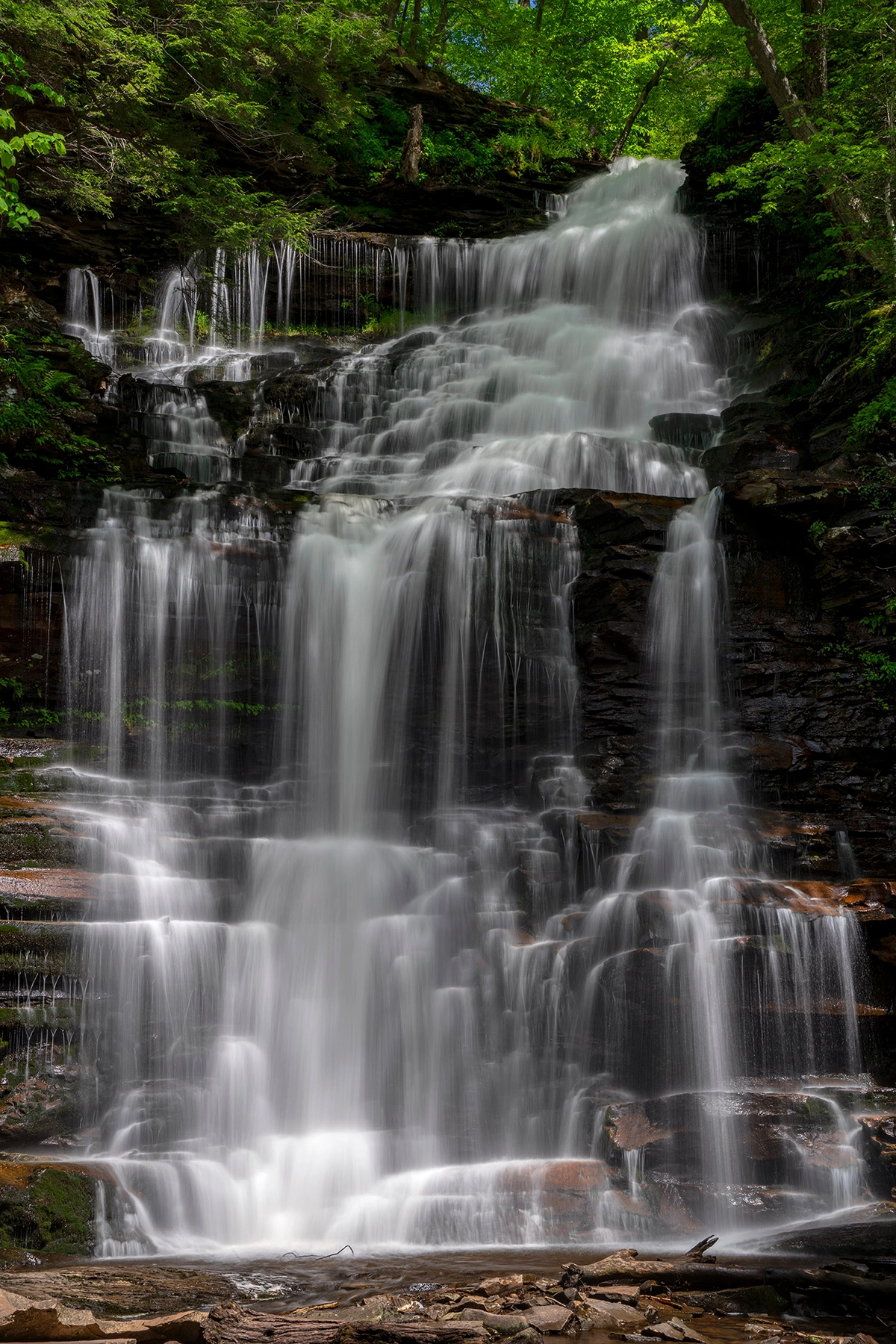
Use 1/2 sec or slower for a silky waterfall flow, or 1/500 sec for crisp detail. An ND filter helps prevent overexposure in daylight.
Astrophotography
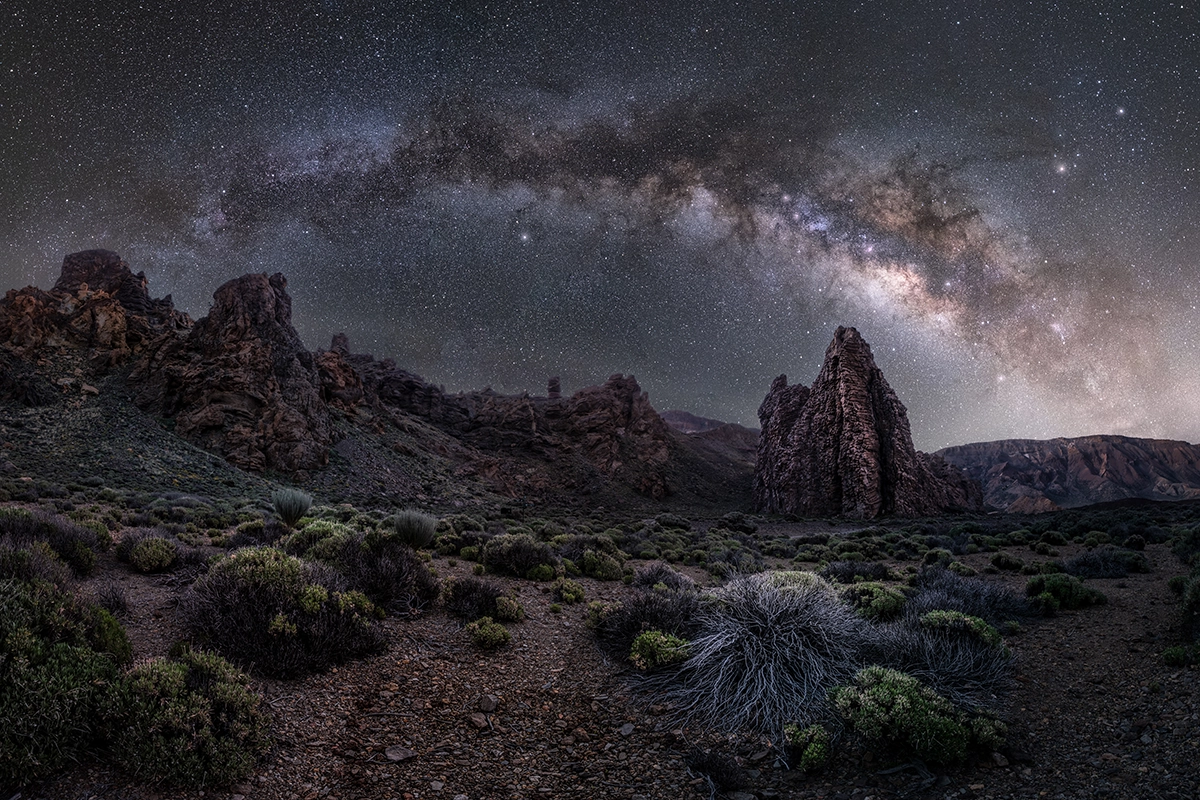
Capture stars as points with 10–30 sec exposures. For trails, extend to several minutes or hours using a tripod and timer.
Panning Shots
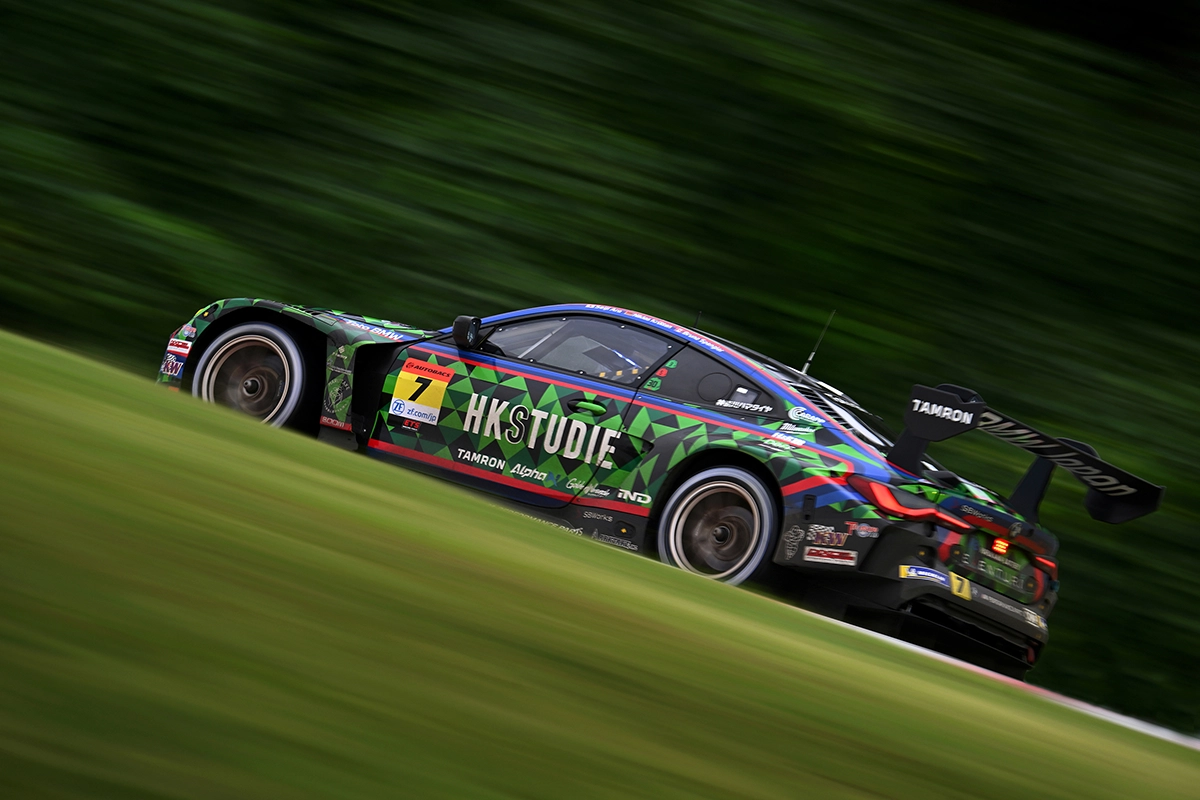
Use 1/30–1/125 sec, moving the camera with your subject for a sense of speed and motion.
Video Shooting
When filming, use 1/50–1/60 sec for natural motion blur.
Tip: Match shutter speed to your frame rate (e.g., 1/60 sec for 30fps) to avoid flicker under artificial lighting.
School Field Day Photography

Use 1/500–1/1000 sec to freeze running and jumping. For panning, use 1/60–1/125 sec while tracking the subject to blur the background.
Light Trails and Star Trails
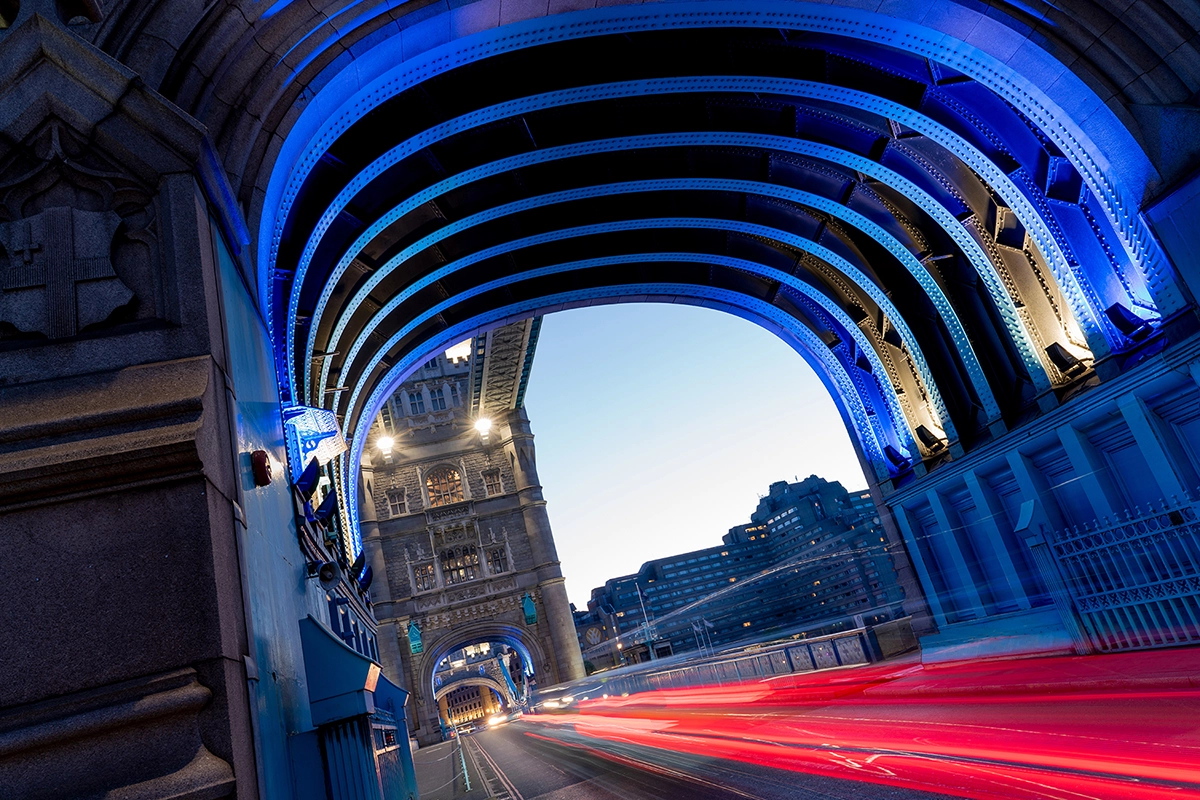
Use 10–30 sec for city light trails. For star trails, use several minutes (or stack 20–30 sec frames) to build long arcs.
Lenses Features in This Article
- 17-50mm F/4 Di III VXD (Model A068) – Versatile zoom for landscapes and portraits
- 20-40mm F/2.8 Di III VXD (Model A062) – Compact and bright for travel and night scenes
- 25-200mm F/2.8-5.6 Di III VXD G2 (Model A075) – Fast all-in-one G2 zoom for travel and everyday
- 28-200mm F/2.8-5.6 Di III RXD (Model A071) – All-in-one zoom for everyday use
- 50-300mm F/4.5-6.3 Di III VC VXD (Model A069) – Lightweight telephoto for events
- 50-400mm F/4.5-6.3 Di III VC VXD (Model A067) – Great for wildlife and sports
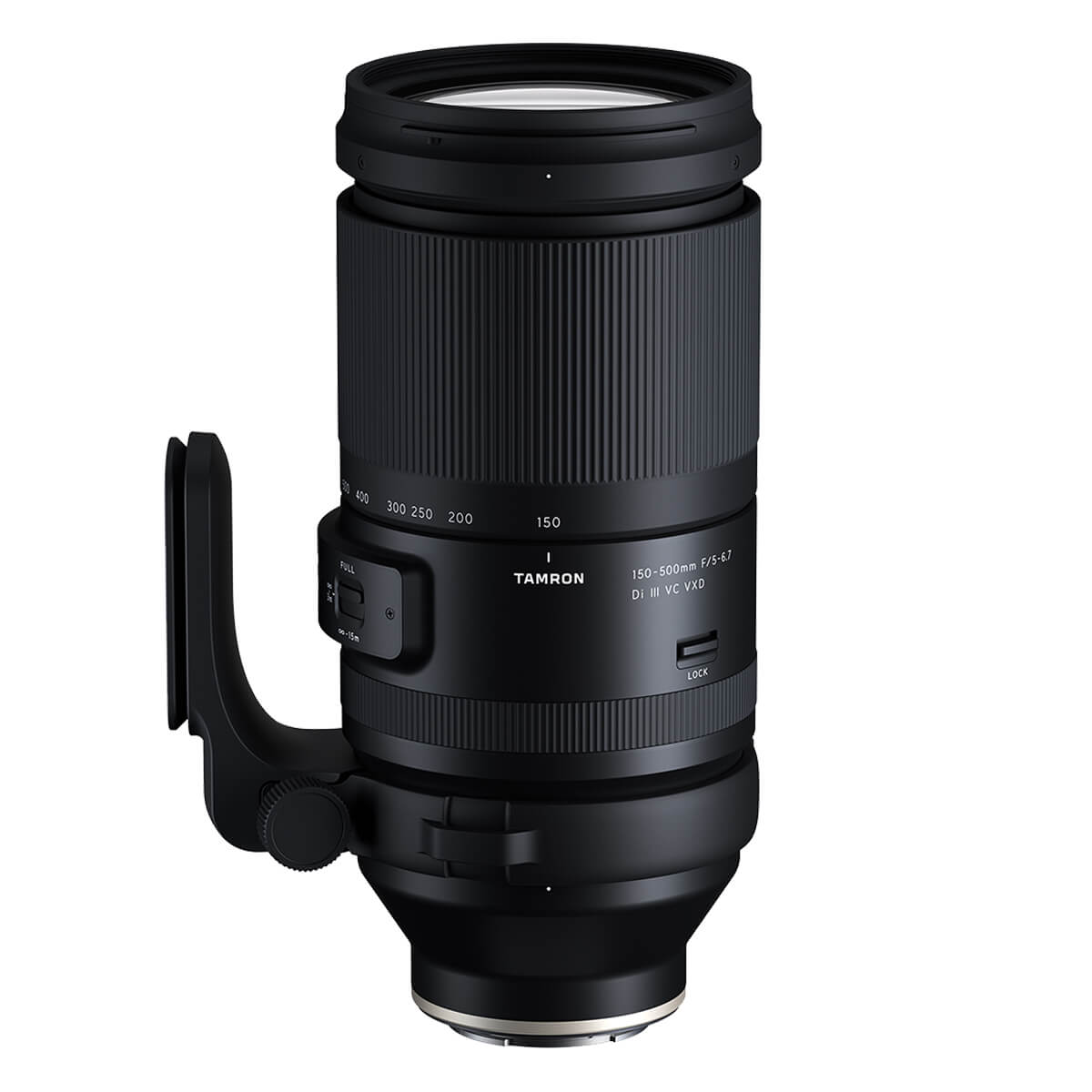
- 150-500mm F/5-6.7 Di III VC VXD (Model A057) – Super telephoto reach for action
- 90mm F/2.8 Di III VXD 1:1 Macro (Model F072) – Ideal for portraits and detail shots
Conclusion: Take Beautiful Photos With the Optimal Shutter Speed
Shutter speed is more than a technical parameter — it’s a creative language that shapes how we perceive movement and light. Whether you’re freezing an athlete’s motion or painting with light at night, understanding shutter speed gives you the power to transform your photography.
Start by experimenting with different settings for each scene in this guide. Over time, you’ll develop an intuitive feel for how exposure time, aperture, and ISO work together — and how to use them for creative storytelling, especially once learning how shutter speed works.
Where to Buy Tamron Lenses
Explore more with Tamron’s high-performance lenses and take your photography to the next level. Visit an an authorized Tamron dealer or at the official TAMRON Store to find the perfect lens for your next shoot.
Frequently Asked Questions About Shutter Speed
1. What is shutter speed in photography?
Shutter speed is the amount of time the camera’s shutter stays open to expose the image sensor to light. A fast shutter speed (like 1/1000 sec) freezes motion, while a slow shutter speed (like 1 second) creates motion blur for creative effects. Understanding shutter speed is essential for controlling brightness and movement in your photos.
2. What does shutter speed do to a photo?
Shutter speed affects two main things — exposure and motion. A faster shutter speed darkens the image and freezes action, while a slower shutter speed brightens the image and introduces motion blur. Balancing shutter speed with aperture and ISO gives you full control over exposure and artistic expression.
3. How do I change the shutter speed on my camera?
To change shutter speed, switch your camera to Shutter Priority Mode (S or Tv) or Manual Mode (M). In Shutter Priority, you select the shutter speed, and the camera automatically adjusts aperture and ISO. In Manual Mode, you control all three exposure settings yourself.
4. What is the difference between fast and slow shutter speed?
A fast shutter speed (1/500 sec or faster) freezes quick movements — perfect for sports photography, birds in flight, or action scenes. A slow shutter speed (1/30 sec or slower) allows motion blur — ideal for waterfalls, night photography, or light trails.
5. What is a good shutter speed for portraits?
For portraits, a shutter speed of 1/60–1/125 sec keeps faces sharp and natural. If your subject is moving or you’re shooting outdoors, increase to 1/250 sec. Use Aperture Priority Mode to maintain a shallow depth of field while keeping the shutter speed high enough to prevent blur.
6. What shutter speed should I use for video?
For video, use a shutter speed roughly double your frame rate. For example, shoot at 1/50 sec for 24–25 fps or 1/60 sec for 30 fps. This balance keeps motion smooth and natural while minimizing flicker from artificial lighting.
7. How does shutter speed affect brightness and exposure compensation?
Shutter speed directly impacts brightness — a longer exposure time brightens your photo, while a shorter exposure darkens it. If you adjust shutter speed and your image becomes too dark or bright, use exposure compensation to fine-tune the result without changing other settings.
8. Where can I find a shutter speed chart for quick reference?
A shutter speed chart shows how different exposure times affect brightness and motion. For example, 1/4000 sec freezes action, 1/60 sec captures natural handheld shots, and 30 sec records long exposures like star trails. Use this chart as a guide to choose the right settings for every scene.
 English
  Spanish
  French
  Portuguese