 Instant Savings
 Rebate Claims
 Support
 Find a Dealer
Want to learn how to start vlogging but not sure where to begin? Whether you’re dreaming of becoming a travel vlogger, documenting your daily life, or building a personal brand on YouTube, getting started can feel overwhelming. From choosing the right camera gear to filming and editing your first video, there’s a lot to consider.
In this beginner’s guide, content creator and filmmaker Jake Sloan shares essential vlogging tips for beginners, covering everything from choosing cameras and lenses to basic video storytelling techniques and editing advice. Jake breaks down the entire vlogging setup—camera, lenses, lighting, audio, and accessories—so you can start creating vlogs your audience will love.
Whether you’re using a smartphone or upgrading to a mirrorless camera with Tamron lenses, this guide will walk you through how to start vlogging step by step. Read on for gear recommendations, shooting techniques, and practical tips to help you create your first vlog.
Videos and Tips by Jake Sloan
What You’ll Learn In This Beginner’s Vlogging Guide:
- How to start vlogging with the right beginner-friendly camera and lens setup
- Jake Sloan’s gear recommendations for better video and audio
- How to use natural and artificial lighting for better-looking footage
- How to tell a story with A-roll, B-roll, and different camera angles
- Basic video editing tips to turn your footage into a finished vlog
Watch Jake Sloan’s Complete Beginner’s Guide to Vlogging
In this video tutorial, filmmaker Jake Sloan walks through the entire vlogging process, from choosing equipment and planning your story to shooting and editing your final video.
Watch the full video to see Jake’s equipment recommendations and learn how he approaches creating a vlog from start to finish.
What Equipment Do You Need to Start Vlogging?
You don’t need a lot of expensive equipment to start vlogging. A camera, versatile lens, microphone, and a little attention to lighting can make a big difference. Jake shares some of his favorite equipment and explains what to look for when putting together your first vlogging setup.
Choosing the Best Camera for Beginner Vlogging
While you can record a great video with just about any recent smartphone, Jake suggests upgrading to a dedicated camera when you’re ready to take your videos further.
Jake uses the Sony α7 IV, α7C, and ZV-E10. These mirrorless cameras offer better low-light performance, more options for recording audio, and the ability to use different lenses depending on what you’re filming.
For beginners, a mirrorless camera with interchangeable lenses gives you more creative flexibility as your skills improve. You can start with one versatile zoom lens and build your kit as you discover what types of videos you enjoy making.
If you’re new to working with a mirrorless camera for video, our guide to shooting video with a mirrorless camera provides additional guidance on camera settings and shooting techniques.
How to Choose the Right Lens for Vlogging
When it comes to lenses, Jake suggests choosing one that does a couple of things. First, look for a versatile focal range that lets you film yourself talking to the camera while also capturing the people, places, and details around you.
You want a lens that’s wide enough to hold the camera out and talk to it, but also gives you enough reach so you don’t feel super far away from your subject when you’re filming something else.
Jake also recommends a bright F2.8 aperture for low-light situations. This makes it easier to film indoors or when the lighting isn’t ideal. However, an F4 lens can also work well, especially when you’re filming outdoors or in good lighting.
A compact wide-angle or standard zoom is a great place to start. Wider focal lengths make it easier to include yourself and your surroundings, while longer focal lengths give you more flexibility for B-roll and creative shots.
Tamron offers several lenses for full-frame and APS-C mirrorless cameras that work well for vlogging. We’ll look at specific recommendations below, or you can explore our complete guide to Tamron camera lenses for vlogging to learn more.
Why Good Audio Matters for Vlogging
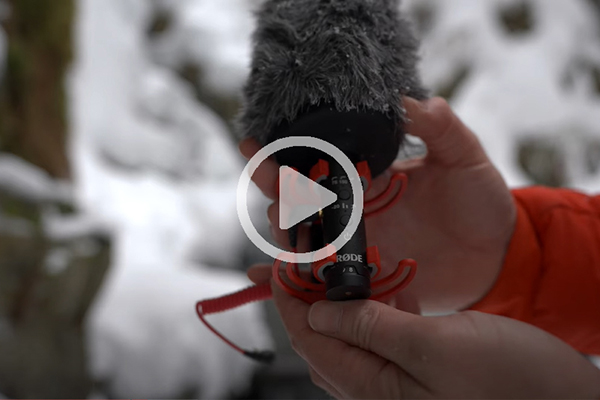
Getting good audio is one of the most important parts of creating a vlog. Your viewers may overlook an occasional shaky shot, but if they can’t hear what you’re saying, they’re probably not going to stick around.
Jake suggests using an external microphone to improve the sound quality of your videos. You don’t need to spend a lot of money to get started. Brands like RØDE, Sennheiser, and Deity offer microphone options for different cameras and budgets, including choices under $100.
An external microphone can help capture your voice more clearly and reduce distracting sounds around you. If you’re filming outdoors, a windscreen can also make a big difference.
Simple Lighting Tips for Better Vlogs
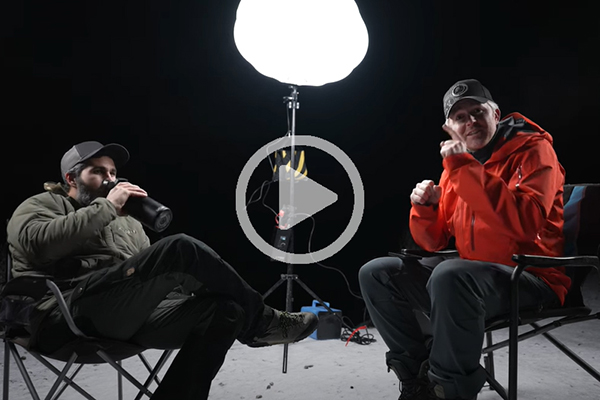
Lighting doesn’t have to be complicated.
When filming outside, Jake recommends paying attention to where the sun is positioned. Rather than having harsh sunlight shining directly in your face, try positioning yourself so the light comes from the side. This can create more flattering light and help avoid harsh shadows.
Indoors, an external light such as the Aputure MC can help fill shadows on your face and make your video look more professional.
Another simple option is to use a window for natural lighting. Position yourself so the window provides soft light on your face. It’s an easy way to improve your footage without buying additional equipment.
For more on using light effectively, explore our videography tips for photographers and beginners, which also covers camera settings, movement, and other techniques for better video.
Tripods and Camera Support for Stable Video
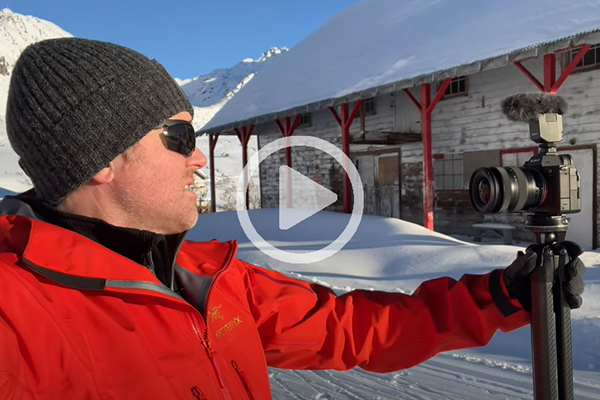
A small tripod or handheld grip is another useful accessory for beginners.
Jake recommends using a tripod to help keep your camera stable, especially when you’re holding it out in front of you. A tripod also makes it easy to put the camera down and film yourself from different angles.
This gives you more options when telling your story. Instead of every shot being handheld, you can set up your camera, walk into the scene, or capture a different perspective.
You don’t need anything complicated. Even a small tabletop tripod can be helpful when you’re just starting out.
How to Make Your First Vlog: Jake Sloan’s Beginner Tips
TIP 1: Tell a Story with a Beginning, Middle, and End
The best vlogs tell a story. Jake suggests using a simple timeline with three parts: a beginning, middle, and end.
At the beginning, introduce your character and what they want to accomplish. This could be you heading out on a photography adventure, visiting a new place, or trying something for the first time.
The middle is where something happens. Maybe there’s a challenge, an unexpected moment, or something that doesn’t go quite as planned.
Finally, the end brings everything together. Show the outcome or resolution so viewers feel like they’ve followed a complete story.
You don’t have to create an elaborate production. Even a simple everyday experience can make an interesting vlog when you give it a clear storyline.
TIP 2: Use A-Roll and B-Roll to Keep Viewers Interested
Vlogging is a great way to show different perspectives and help viewers feel like they’re part of your experience.
Jake explains that there are two main types of footage you’ll use when creating a vlog: A-roll and B-roll.
A-roll is the main footage of you talking to the camera and telling the story. It’s where you explain what’s happening, share your thoughts, or introduce the next part of your video.
B-roll is the supporting footage that shows what you’re talking about. This might include a close-up of something you’re doing, a wide shot of your surroundings, or quick clips of the activity you’re describing.
Jake recommends including a good mix of both to keep viewers interested.
For example, if you’re filming a travel vlog, your A-roll might be you talking about where you’re going. Your B-roll could include the scenery, people, food, or interesting details you see along the way.
Having different shots also gives you more options when it’s time to edit your video.
If you want to take this a step further, our videography techniques guide explains how to shoot wide, medium, close-up, and detail shots that work together to tell a story.
TIP 3: Edit Your Vlog into a Compelling Story
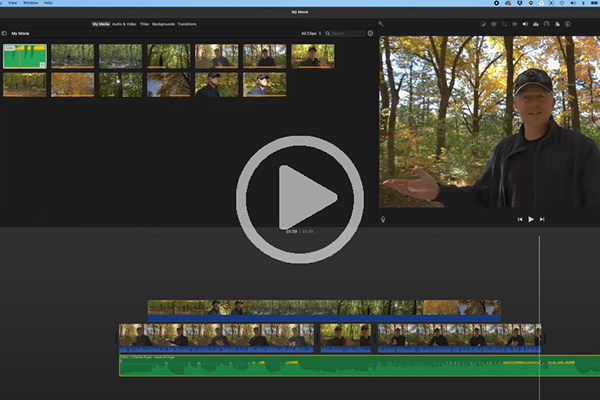
Once you’ve finished filming, it’s time to put everything together.
Jake uses Apple iMovie to organize and edit his footage, and he recommends a simple process for beginners.
Start by separating your A-roll and B-roll footage. Place your A-roll clips on the editing timeline first so you can put together the main story.
Next, go through the timeline and cut out anything that isn’t needed. This helps keep the video moving and makes the story easier to follow.
Once you’ve organized the A-roll, add your B-roll footage to show what you’re talking about and make the video more interesting. This is also a good time to add music that fits the mood of your story.
Watch the finished video from beginning to end to make sure everything flows well. Then you’re ready to export and share your vlog.
The more you practice filming and editing, the easier this process becomes.
Best Tamron Lenses for Beginner Vlogging
The right lens can make vlogging easier, whether you’re filming yourself, shooting B-roll, or capturing different perspectives throughout the day.
Here are six Tamron zoom lenses to consider when building your vlogging kit. Each offers a different combination of focal range, portability, and features, depending on your camera and how you like to shoot.
Tamron 16-30mm F2.8 G2 — Best for Wide-Angle Vlogging
The Tamron 16-30mm F/2.8 Di III VXD G2 (Model A064) is a great choice for vloggers using Sony E or Nikon Z full-frame cameras who want an ultra-wide perspective.
Its 16mm wide end makes it easier to film yourself at arm’s length while including more of the background, especially in small spaces. The 30mm end gives you flexibility for more natural-looking footage and B-roll.
The constant F2.8 aperture works well in changing light, while the internal zoom design keeps the lens length consistent as you zoom, making it convenient for use with gimbals.
Best for: Handheld vlogging, travel, interiors, and wide-angle storytelling.
Tamron 20-40mm F2.8 — Best for Everyday and Travel Vlogging
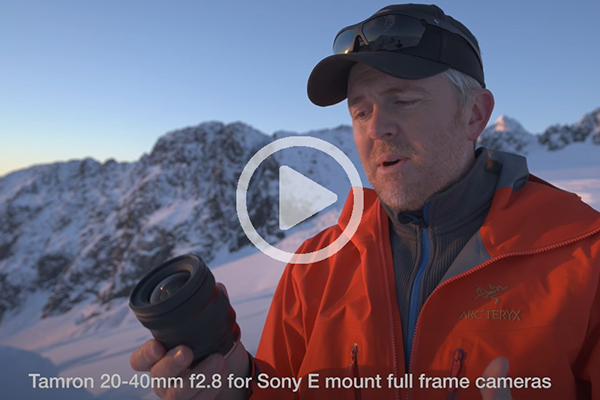
The Tamron 20-40mm F/2.8 Di III VXD (Model A062) for Sony E and Nikon Z full-frame cameras is a compact, lightweight zoom for Sony E full-frame cameras.
Its 20mm wide end works well for filming yourself and your surroundings, while the 40mm end is useful for capturing people, details, and B-roll without needing to change lenses.
The constant F2.8 aperture also gives you more flexibility when filming indoors or in low-light conditions.
Best for: Everyday vlogging, travel videos, casual content creation, and B-roll.
Tamron 17-50mm F4 — Best for Versatile Vlogging
The Tamron 17-50mm F/4 Di III VXD (Model A068) for Sony E full-frame cameras combines ultra-wide and standard focal lengths in one lens.
You can film yourself at 17mm, then zoom in to 50mm for tighter shots of people, activities, or details. This makes it a practical option for creators who want to use one lens throughout the day.
Its internal zoom design also keeps the lens from extending as you change focal lengths, making it useful for handheld video and gimbals.
Best for: Travel vlogging, everyday videos, gimbal filming, and creators who want one versatile lens.
Tamron 11-20mm F2.8 — Best for Ultra-Wide APS-C Vlogging
The Tamron 11-20mm F/2.8 Di III-A RXD (Model B060) is designed for APS-C mirrorless cameras and is available for Sony E, Canon RF, and Fujifilm X mounts.
Its ultra-wide focal range is especially useful for vloggers who film themselves at arm’s length or need to capture more of the surrounding scene. It’s also a great choice for travel videos, interiors, and establishing shots.
With a compact design and constant F2.8 aperture, it offers wide-angle flexibility without adding a lot of bulk to your camera setup.
Best for: Self-recording, handheld vlogging, travel, interiors, and wide establishing shots.
Tamron 16-50mm F2.8 A — Best for Lightweight APS-C Vlogging
The Tamron 16-50mm F2.8 A (Model B091) is an exceptionally compact, lightweight standard zoom designed for APS-C mirrorless cameras, with versions for Sony E, Canon RF, Fujifilm X, and Nikon Z mounts.
Starting at a wide 16mm, it makes filming yourself and your surroundings easier, while the 50mm end provides flexibility for portraits, close-ups, and B-roll. Its constant F2.8 aperture performs well in changing light and helps create attractive background blur.
Weighing just 10.8 oz (305g) for the Sony E-mount version, this highly portable lens is comfortable for handheld filming and travel. Fast, quiet VXD autofocus also helps keep subjects sharp while recording, making it an excellent choice for beginners who want a lightweight, versatile vlogging lens.
Best for: Lightweight APS-C vlogging setups, everyday videos, travel, handheld filming, and lifestyle content.
Tamron 17-70mm F2.8 VC — Best for APS-C Vlogging and B-Roll
The Tamron 17-70mm F/2.8 Di III-A VC RXD (Model B070) is a versatile standard zoom for APS-C mirrorless cameras, available for Sony E, Canon RF, Fujifilm X, and Nikon Z mounts.
Its broad focal range makes it useful for filming people, everyday activities, travel footage, and B-roll. The constant F2.8 aperture provides low-light flexibility, while Tamron’s VC (Vibration Compensation) technology helps reduce camera shake during handheld recording.
The 17mm wide end works for many general vlogging situations, although vloggers who regularly film themselves at arm’s length may prefer an ultra-wide lens.
Best for: APS-C creators, everyday videos, handheld filming, interviews, and B-roll.
Not sure which lens is right for you? Explore our guide to Tamron lenses for vlogging for more recommendations based on the kind of content you want to create.
Ready to Start Vlogging? Put These Beginner Tips into Action
Starting your vlogging journey doesn’t have to be intimidating. You don’t need the most expensive camera, a professional lighting setup, or complicated editing software to create a great video.
Jake’s biggest lessons are simple: choose equipment that works for you, pay attention to your audio and lighting, and focus on telling a story with a beginning, middle, and end.
Start with the camera and lens you have, practice filming A-roll and B-roll, and learn how to edit your footage into a story that people will enjoy watching.
If you’re ready to go beyond vlogging basics, explore our complete videography tips for photographers and beginners guide for more on camera settings, lens selection, filming techniques, and creative video projects.
Most importantly, get out there and start filming. The more videos you make, the more comfortable you’ll become in front of and behind the camera.
Where to Buy Tamron Lenses
Tamron offers a range of compact, versatile zoom lenses for full-frame and APS-C mirrorless cameras that can help you create better vlogs and video content.
Explore the full selection at the Tamron Store or find an authorized Tamron dealer near you.
Frequently Asked Questions About Starting a Vlog
How do you start vlogging as a beginner?
Start with a topic you enjoy and a simple story you want to share. You can use a smartphone or mirrorless camera, along with a microphone and basic lighting. Film yourself explaining what’s happening, capture B-roll to support your story, and edit the footage into a video with a beginning, middle, and end.
What equipment do you need to start vlogging?
A beginner vlogging setup can include a smartphone or mirrorless camera, a versatile lens, an external microphone, and a small tripod or handheld grip. Natural window light can work well for indoor recording. You can add more advanced accessories as your skills improve.
What is the best focal length for vlogging?
Wide-angle focal lengths are generally best for handheld vlogging because they allow you to include yourself and your surroundings in the frame. On full-frame cameras, focal lengths around 16-20mm are especially useful for filming at arm’s length. APS-C cameras can achieve similar framing with an ultra-wide zoom such as an 11-20mm lens. Longer focal lengths are useful for B-roll, interviews, and detail shots.
Is an F2.8 lens good for vlogging?
Yes. An F2.8 lens is a good choice for vlogging because its bright maximum aperture allows more light into the camera, making it easier to film indoors or in low-light conditions. It also provides greater control over background blur. However, an F4 lens can also work very well, particularly outdoors or in good lighting.
What is the difference between A-roll and B-roll in vlogging?
A-roll is the main footage that tells your story, such as talking directly to the camera. B-roll is supporting footage that helps show what you’re talking about, including locations, activities, close-ups, and details. Combining A-roll and B-roll makes your vlog more interesting and helps keep viewers engaged.
How long should a beginner vlog be?
There’s no perfect length for a vlog. For beginners, creating a focused video of about three to five minutes can be a good way to practice filming, storytelling, and editing. The most important thing is keeping the content interesting and removing anything that doesn’t help tell your story.