USA
CAD

Body Mount

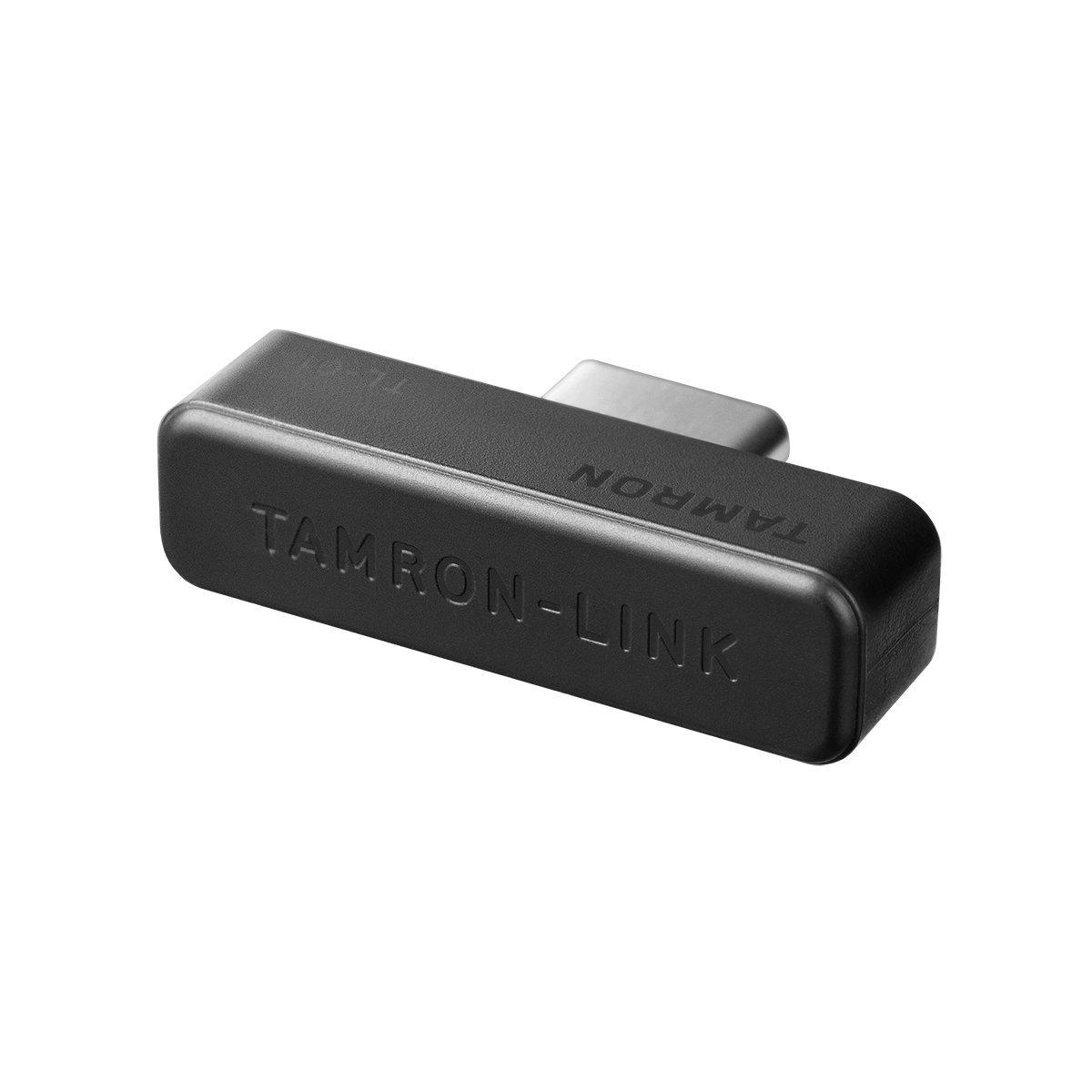
Model TL-01

TAMRON-LINK

Innovative Bluetooth Adapter for Wireless TAMRON Lens-to-Smartphone Connectivity

Compatible Mount: TAMRON-LINK

*Website purchases limited to shipments to USA addresses only in all states except Alaska.

Model TL-01
TAMRON-LINK

Innovative Bluetooth Adapter for Wireless TAMRON Lens-to-Smartphone Connectivity

Compatible Mount: TAMRON-LINK
Select mount to view price.

*Website purchases limited to shipments to USA addresses only — in all states except Alaska.

TAMRON Lens Utility™

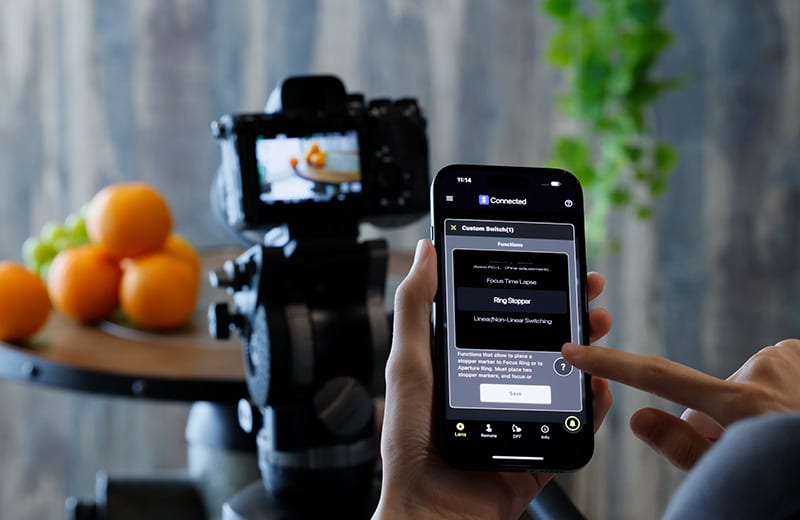
By connecting the TAMRON-LINK to a compatible TAMRON lens, users gain the ability to wirelessly operate various lens functions from a smartphone via Bluetooth. This innovation eliminates the limitations associated with cable connections to enhance operational efficiency on location and provide users with a more flexible and streamlined shooting experience.

The use of TAMRON-LINK also extends operational support to iOS devices, in addition to existing Android device compatibility. This expansion of compatible platforms allows a greater number of users to benefit from the functionality offered by TAMRON Lens Utility.


   

TAMRON-LINK Specifications

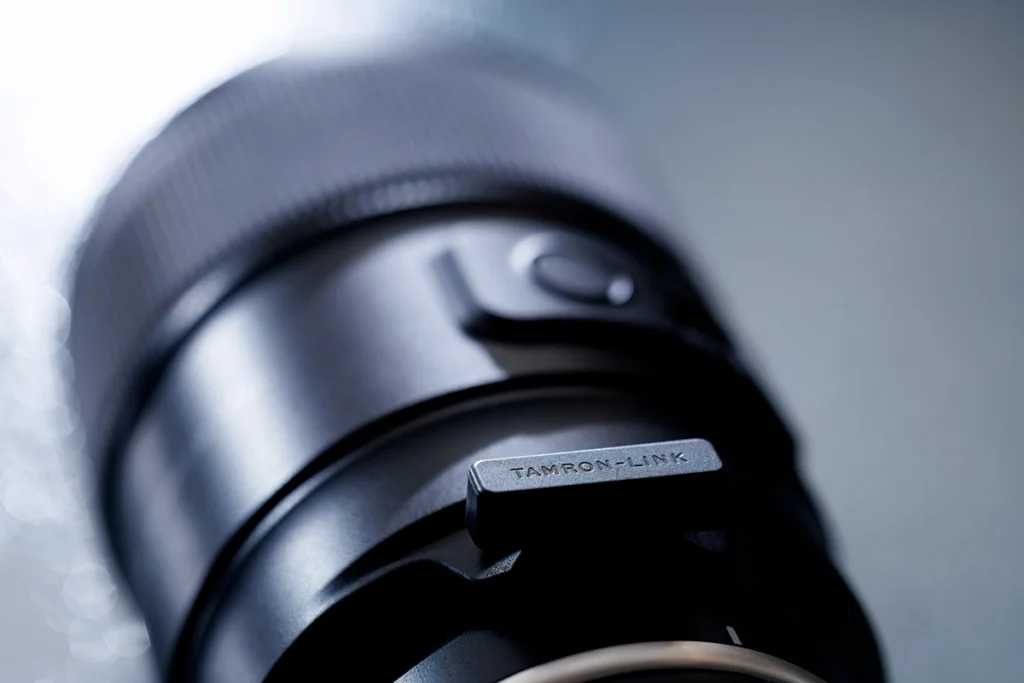
TAMRON-Link attached to Tamron lens
Product Name TAMRON-LINK (Model TL-01)
Bluetooth Version Bluetooth 5.4
Bluetooth Class Class2
Communication Range Max. 5m (16.4 ft)
Product Size Depth 7.1mm (0.28in) x Width 25.3mm (1in) x Height 6.6mm (0.26in) (Excluding connector)
Weight Approx. 2g (0.07oz)
Operating Temperature 0-40° C (32-104° F)
Operating Humidity 85% or less
*Please note that if condensation occurs, it may not function properly.

How to

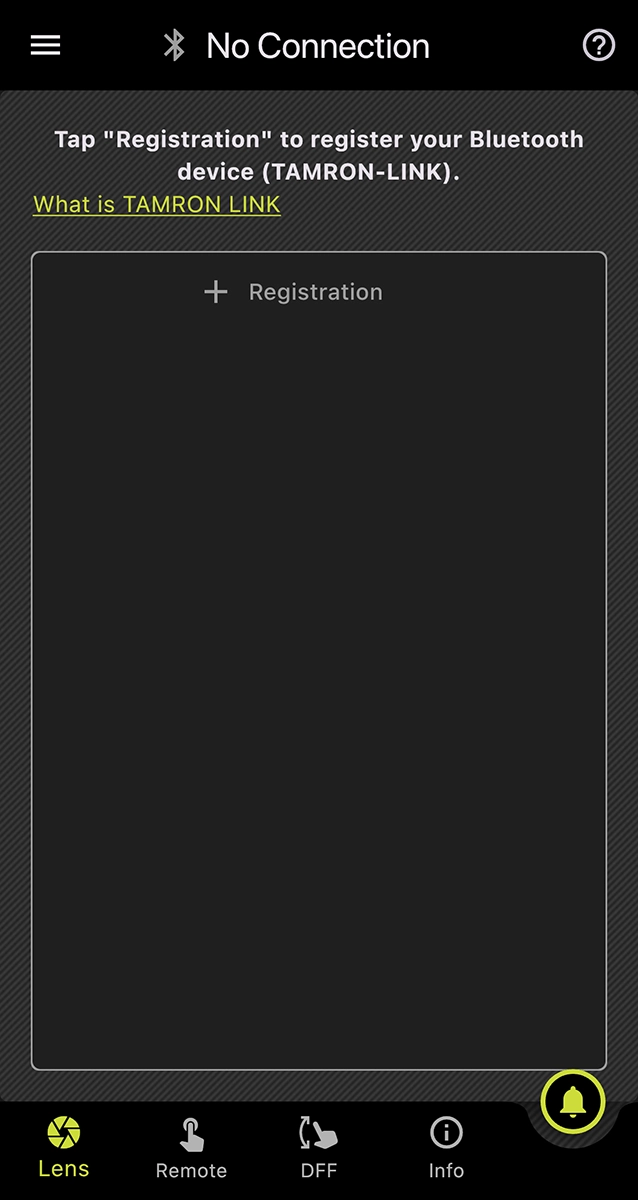
Device Registration

Tap “+ Registration.”

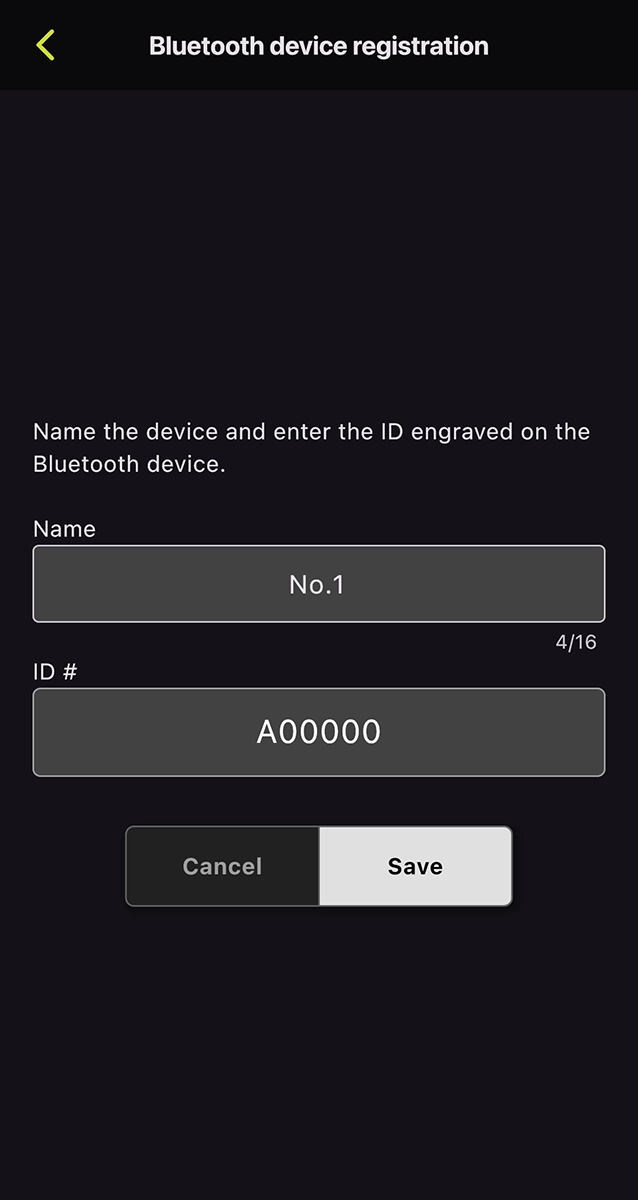
Assign the device name and the ID engraved on the TAMRON-LINK

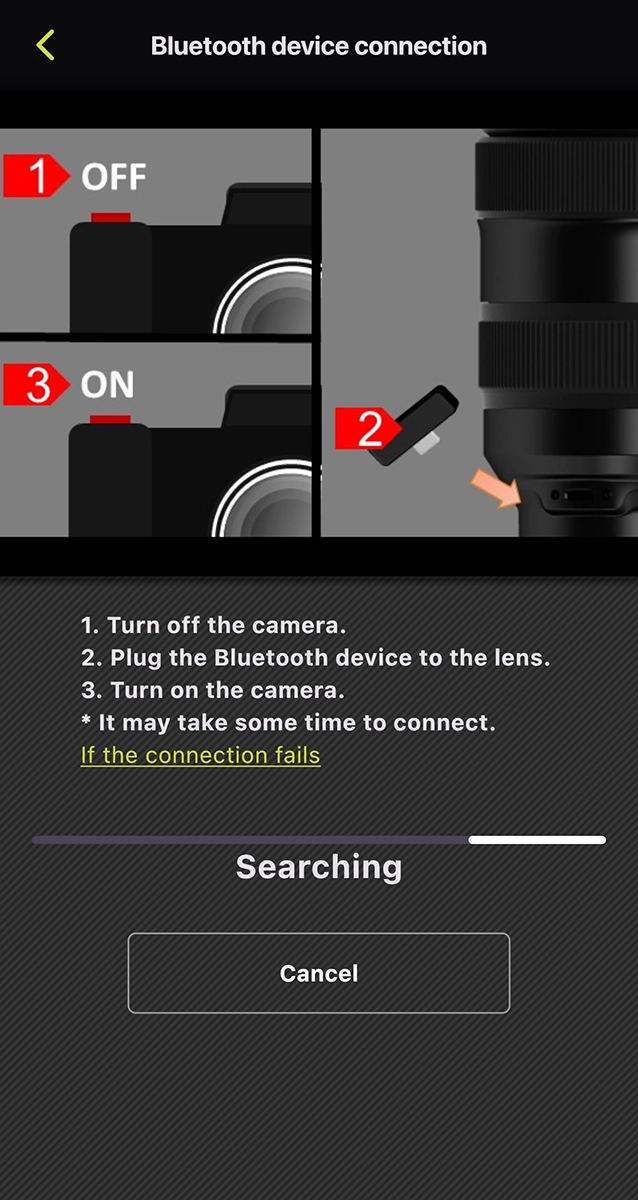
Follow these steps to connect the TAMRON-LINK. 1. Turn off the camera. 2. Plug the TAMRON-LINK into the lens. 3. Turn on the camera.
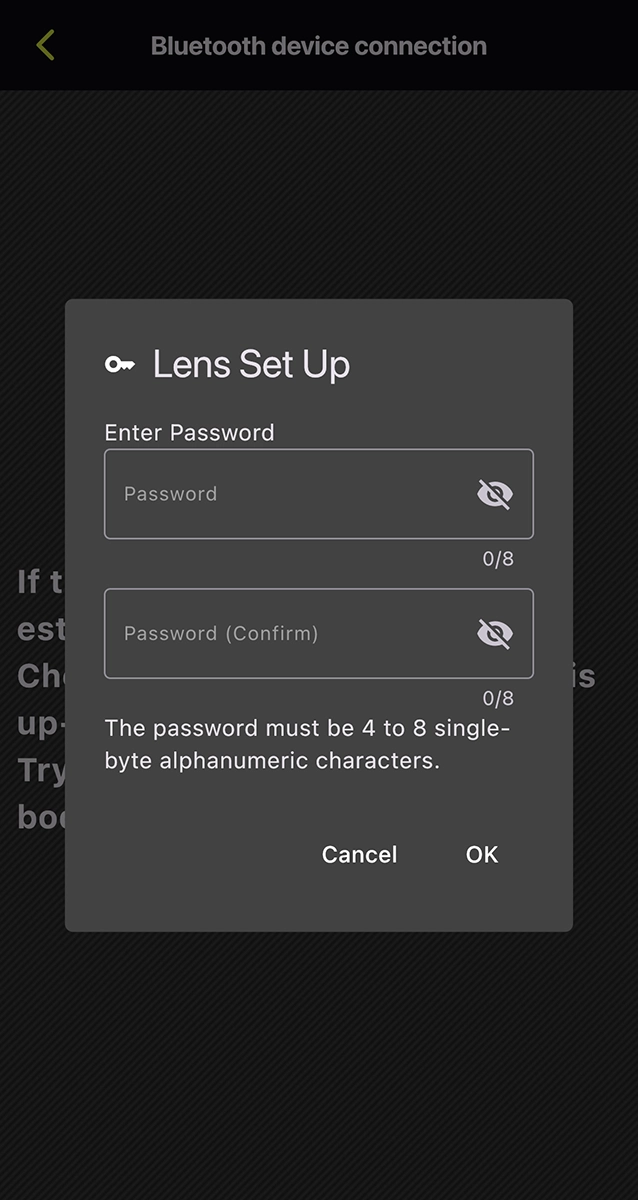
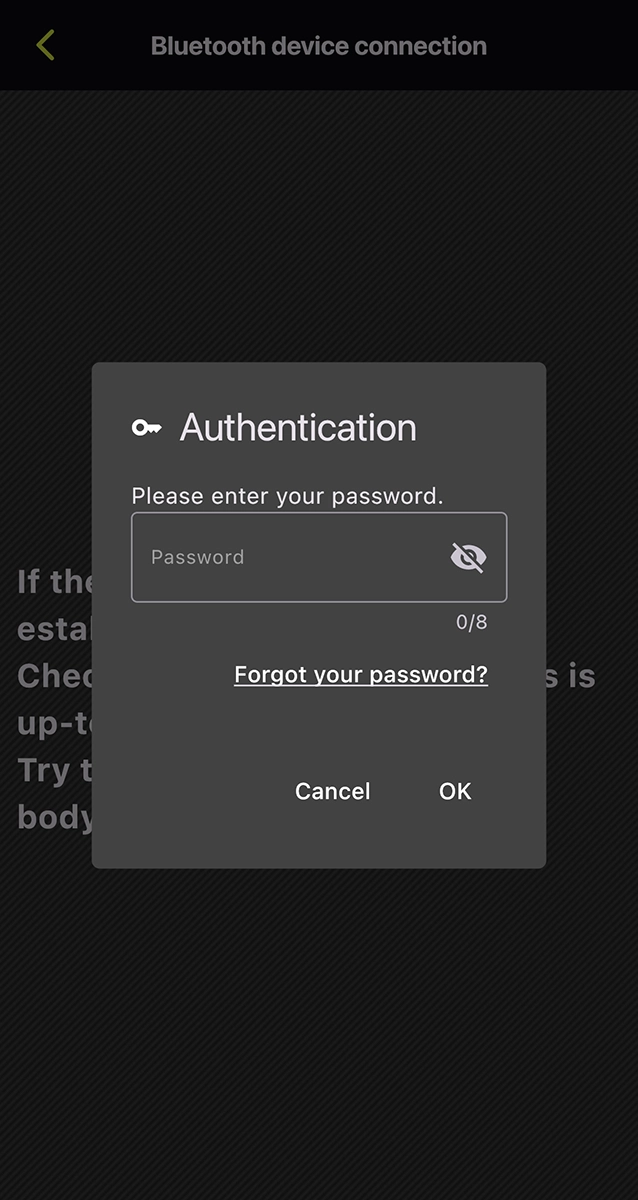
Set a password and tap “OK” (required only for initial lens registration)

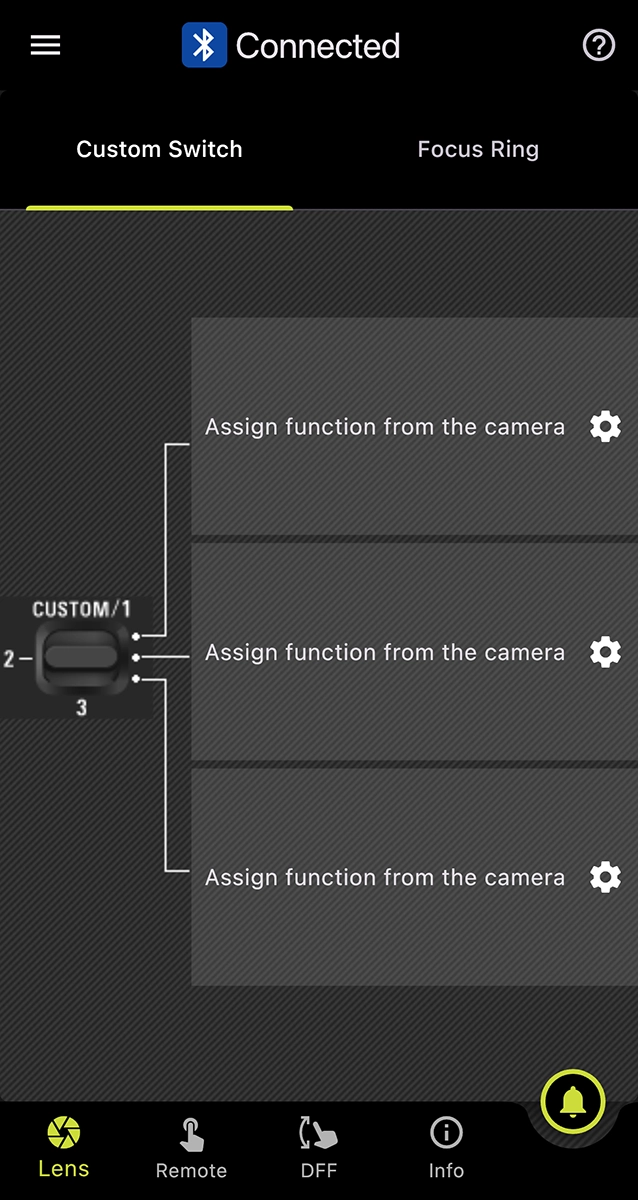
Successfully connected.

Password Reset

Tap “Forgot your password?”

Tap “Reset.”
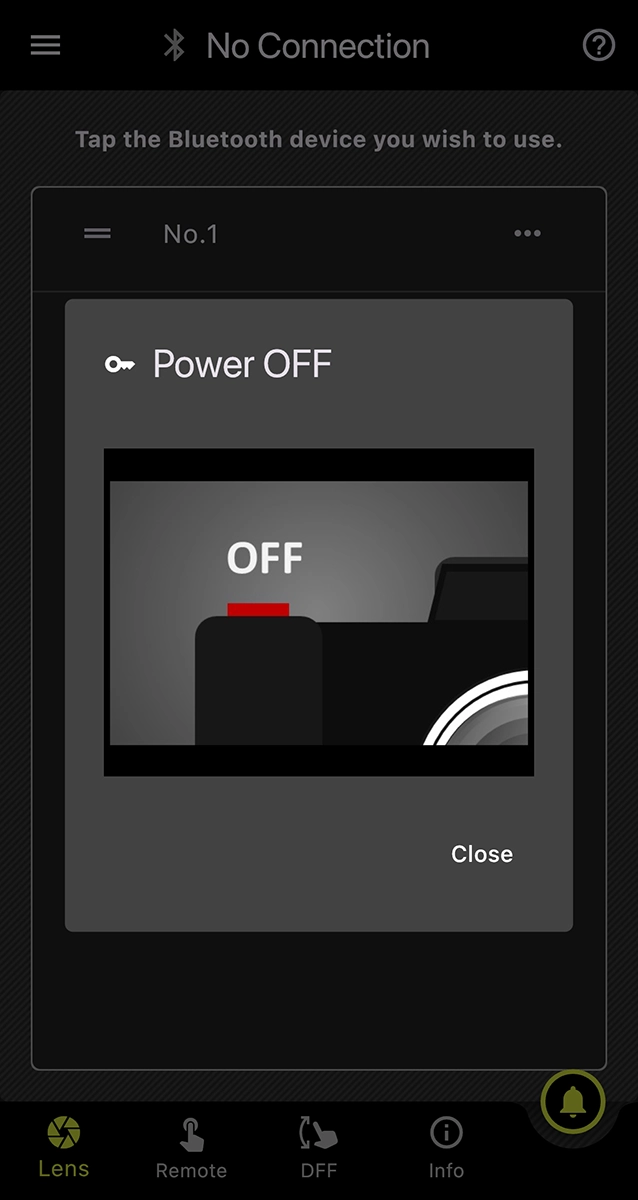
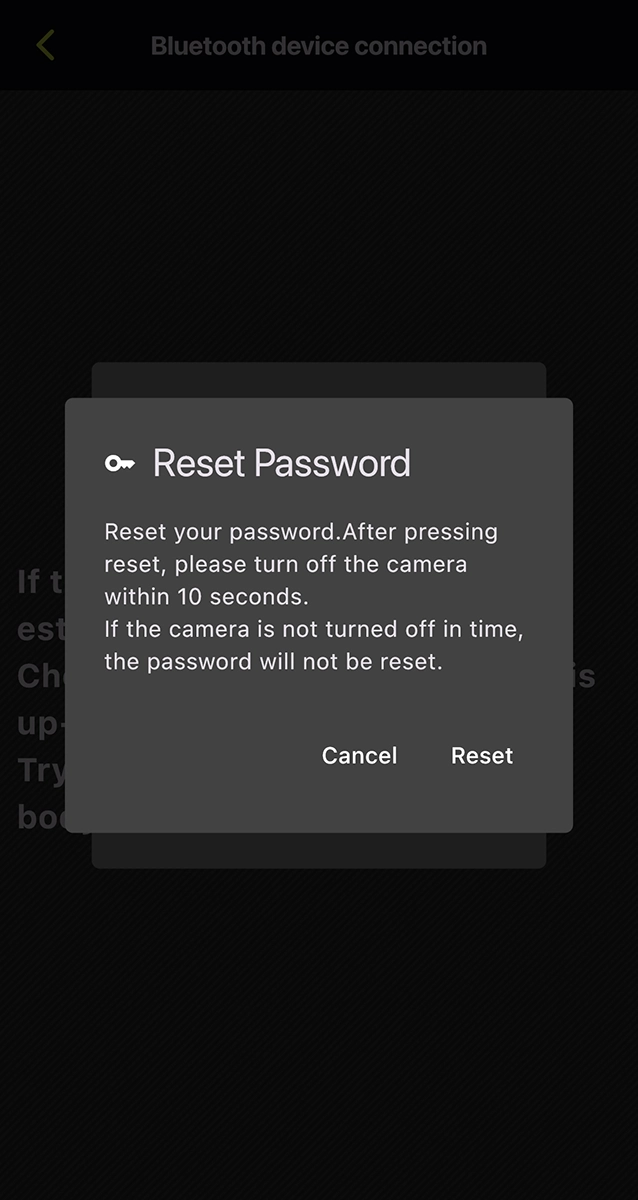
Turn off the camera and tap “Close”
within 10 seconds.
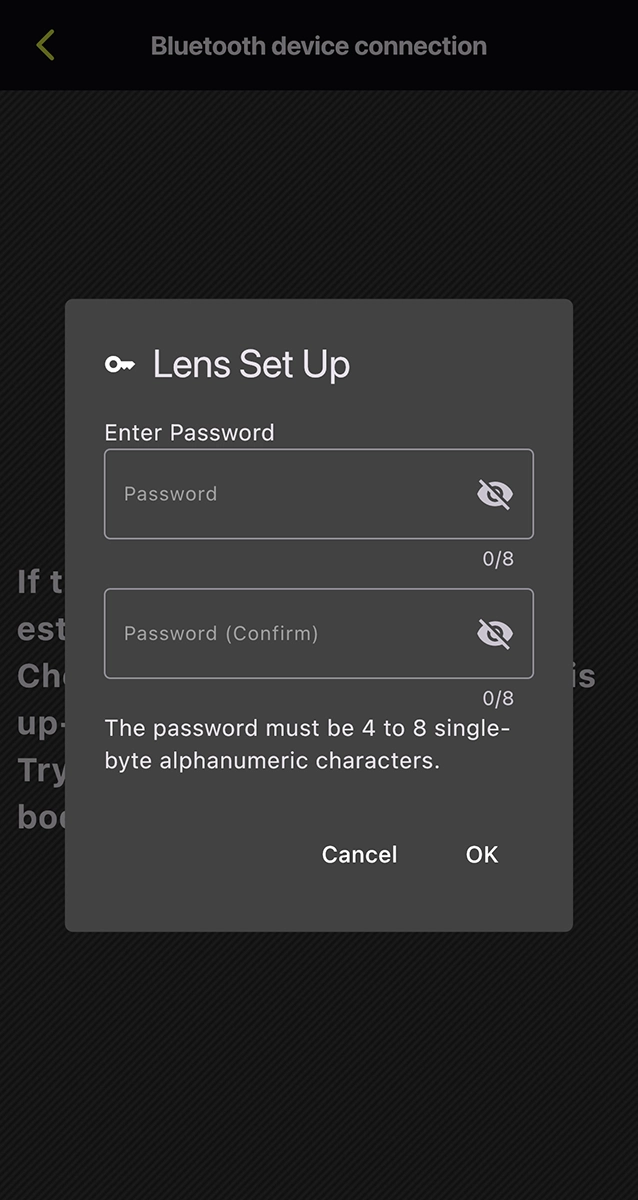
Set a new password, then tap “OK.”

*The screen captures are based on iOS. Display and operation may vary on Android OS.

Notes on Using TAMRON-LINK

To ensure stable and optimal performance of this product, please observe the following points:

  1. Operating Environment
    • This product does not guarantee operation with all Bluetooth-enabled devices.
    • Operation may become unstable, or communication may be subject to delays or interruptions depending on radio wave conditions, physical obstructions, and the status of connected devices in the surrounding environment.
    • Communication may be interrupted or its speed reduced when used near equipment operating on the same 2.4 GHz band, such as microwave ovens or Wi-Fi devices.
    • The wireless communication range and speed are approximate figures and may vary depending on the specific operating environment.
  1. Connection and Firmware
    • TAMRON-LINK can only be used in Japan, USA, Canada, EU, UK, and China (including Hong Kong and Macau). (As of February 2026.)
    • Please note that the Mobile version does not support lens firmware updates; the PC version must be used.
    • To utilize TAMRON Lens Utility and TAMRON-LINK, it is necessary to update the compatible lens firmware to the latest version. Information regarding lens firmware updates will be posted on support page at https://www.tamron.com/global/consumer/support/ .
    • Please note that TAMRON-LINK is currently unavailable for the following lenses. The necessary lens firmware required to use TAMRON-LINK is scheduled for release in Spring 2026.
    • 28-75mm F/2.8 Di III VXD G2 (Model A063) for Nikon Z mount
    • 35-150mm F/2-2.8 Di III VXD (Model A058) for Sony E-mount

The “Compatible Lens List” is available at https://tamron-americas.com/photo-lenses/tamron-lens-utility-chart/

  1. Others
    • Battery consumption on the camera and connected device may accelerate during a Bluetooth connection.
    • Registration with the connected device is required for the initial use. Detailed instructions for this procedure can be found here: https://www.tamron.com/global/consumer/accessories/tamron_link/tl-01/
    • This product must not be used in environments where it may pose a risk of interfering with medical equipment or the safe operation of aircraft.
    • TAMRON is not responsible for any direct or indirect damages resulting from the use of this product.

 Trademarks

Product and service names in this release are trademarks or registered trademarks of their respective companies.

    • iOS is a name of Apple Inc. IOS is a trademark or registered trademark of Cisco.
    • Android is a trademark or registered trademark of Google LLC.
    • The Bluetooth word mark and logos are registered trademarks owned by Bluetooth SIG, Inc., and any use of such marks by TAMRON is under license.

Customer Reviews

Press Reviews

No reviews available.

Customer Reviews

Press Reviews

No reviews available.

Find a Dealer

Discover our exclusive partnership with dealers across North America, providing a 6-Year Limited Warranty, swift repair turnaround, and promotional instant savings.

Shopping Cart
Scroll to Top