 Instant Savings
 Rebate Claims
 Support
 Find a Dealer

Whether you’re a seasoned photographer or just starting out, TAMRON Lens Utility™ software is a powerful tool designed to help you customize and enhance your lens’s performance. Now updated to Version 5.0, the software introduces exciting new features for video creators and astrophotography enthusiasts, along with iOS compatibility via the new TAMRON-LINK™ wireless accessory.
Available for both desktop and mobile platforms, this software provides a range of advanced settings for tailoring your lens to specific shooting styles and situations. In this guide, we’ll walk you through how to get the most out of this camera lens app by updating firmware, adjusting focusing speeds, creating cinematic transitions, and fine-tuning focus for night sky photography.
Key Takeaways
- TAMRON Lens Utility™ Ver. 5.0 introduces new tools for videographers and Astrophotographers.
- The Mobile version now supports iOS devices when used with TAMRON-LINK™ (Model TL-01).
- New Tamron Lens Utility features include Focus/Iris Marker Link, Ring Stopper, selectable rotation angles, Focus Time Lapse, enhanced Astro Focus Lock fine adjustment, and Night Mode.
- Key creator tools include A-B Focus, Digital Follow Focus (DFF), Focus Marker & Focus Ease, and Focus Preset.
- Lens firmware updates must be performed using the PC version of TAMRON Lens Utility.
- Compatible lenses require updated firmware to access Ver. 5.0 functions.
What Is TAMRON Lens Utility™ Software?
TAMRON Lens Utility™ Software allows users to customize certain functions on their Tamron lenses, such as focus adjustments, firmware updates, and more.
The desktop version is designed for use with a PC or Mac, while the mobile version works with Android smartphones and tablets — and now, with Version 5.0, iOS devices are also supported when using TAMRON-LINK™.
Both versions are designed for convenience, allowing photographers and content creators to fine-tune their lenses in the studio or out in the field.
Step-by-Step Guide to Using TAMRON Lens Utility™ Software
Download and Install the Software
To begin, download the TAMRON Lens Utility™ Software from the official Tamron website.
- The desktop version supports both Windows and macOS
- The mobile version is available for Android and iOS users
Download links:

- iOS: Available on the App Store
- Android: Available via Google Play
- PC/Mac: Download from Tamron support page
Connect Your Lens
To start using TAMRON Lens Utility™, you’ll need to connect your compatible lens properly depending on your platform.
Desktop Version (Windows/macOS)
Connect your camera and lens to the computer via a USB cable. The optional Tamron Connections Cable Model CC-350 is available from your local Tamron retailer.
Mobile Version (Android & iOS)
Mobile connection options include:
- TAMRON-LINK (Model TL-01) for wireless Bluetooth control
- TAMRON Connection Cable (USB Type-C to Type-C)
Important:
- iOS devices require TAMRON-LINK
- Android devices can use TAMRON-LINK or a connection cable
Wireless Control with TAMRON-LINK (Now Supporting iOS)
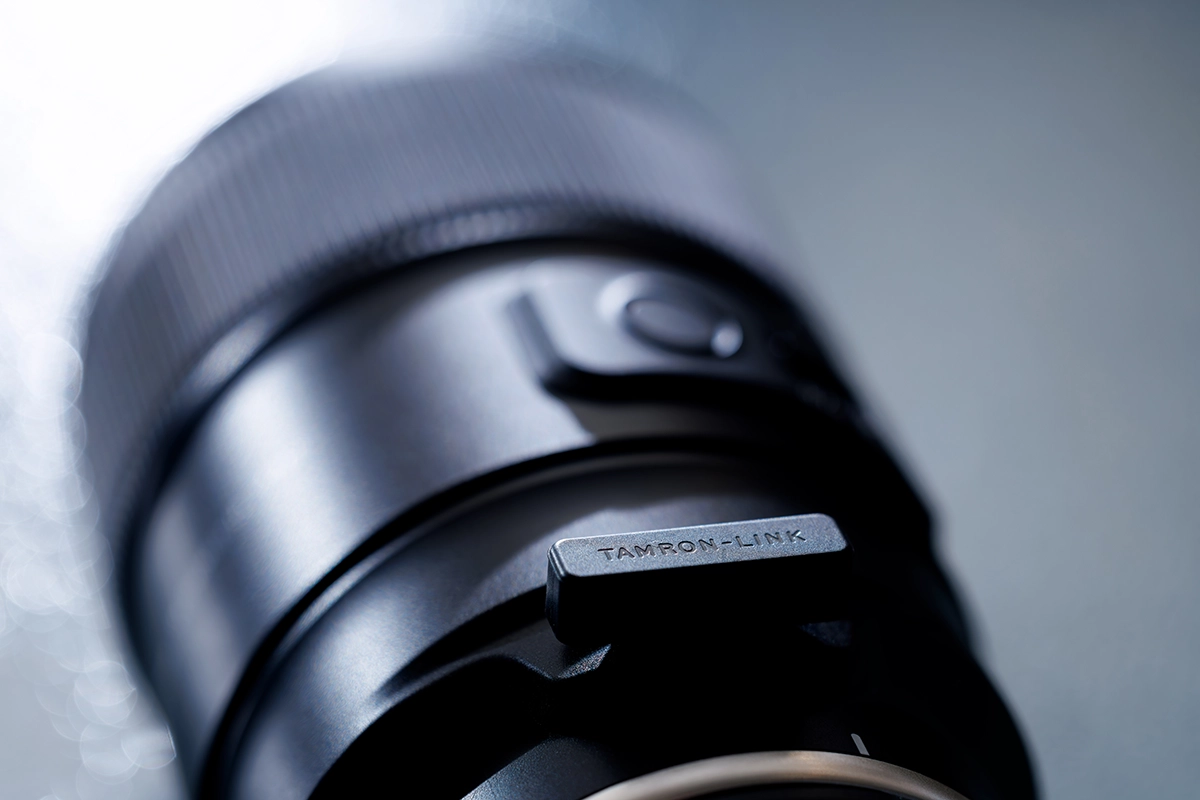
With the introduction of TAMRON-LINK (Model TL-01), users can now wirelessly control supported lenses via Bluetooth using the TAMRON Lens Utility Mobile app.
What Does TAMRON-LINK Enable?
- Wireless lens communication via Bluetooth
- No cable limitations while shooting on location
- Expanded compatibility to iOS devices (iOS 16–18)
- Continued support for Android devices
Simply attach TAMRON-LINK to a compatible TAMRON lens and connect via Bluetooth to operate focus, aperture, and preset functions directly from your smartphone.
You can check whether your lens is supported by viewing the full Compatible Lens List on our TLU Chart page.
Note: TAMRON-LINK is sold separately and available for purchase at the TAMRON Store.
Update Lens Firmware
One of the most important features of TAMRON Lens Utility™ is the ability to update your lens firmware.
To do this:
- Open the software and connect your lens
- The software will automatically detect if a firmware update is available
- Follow the on-screen instructions to install the update
Keeping firmware up to date ensures optimal performance and access to the latest features.
Important:
The Mobile version does not support firmware updates — firmware must be updated using the PC version.
Customize Focus Settings
The software allows users to fine-tune focusing behaviors to suit different shooting styles.
For example, you can:
- Adjust focusing speeds
- Switch between linear and non-linear focusing
- Set focus points for video production
In previous versions, features like Focus Marker and Focus Ease were introduced for smoother focus transitions.
Now, Version 5.0 expands creative control even further.
What’s New in TAMRON Lens Utility™ Ver. 5.0
Version 5.0 introduces powerful new features and functions designed to support a more comfortable and creative shooting experience for both video and still photography.
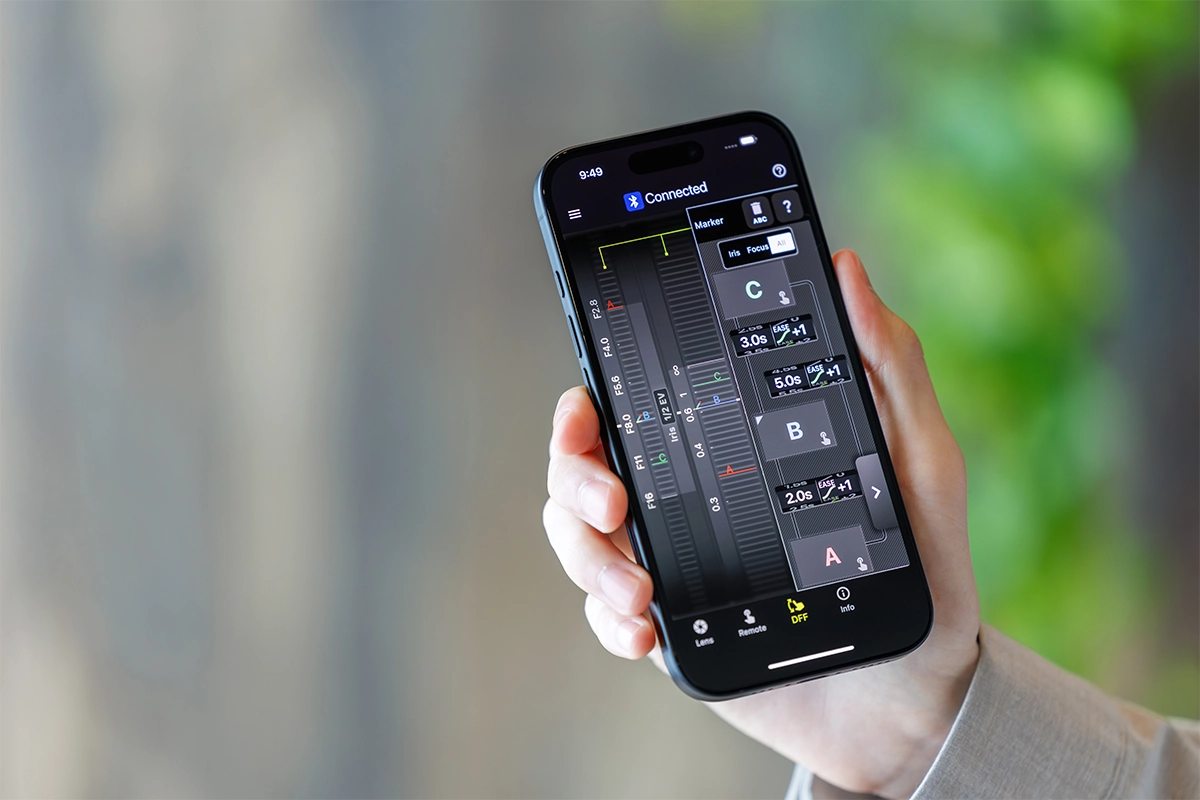
Focus (FC) / Iris Marker Link
In addition to conventional Focus Marker tools, Ver. 5.0 allows markers to be set on both the focus ring and aperture ring.
With the Digital Follow Focus (DFF) screen, you can instantly shift to preset positions with a single tap — ideal for cinematic focus and exposure transitions.
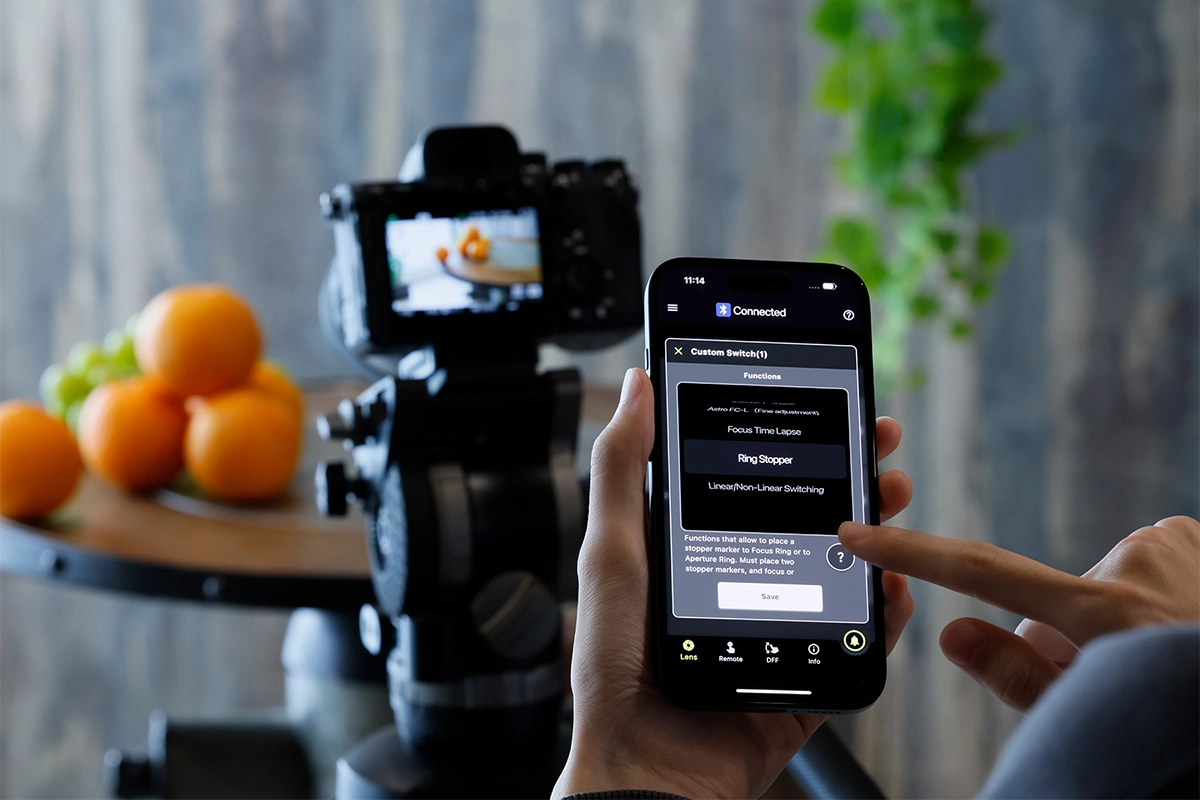
Ring Stopper
Ring Stopper lets you set an electronically controlled stopper for both focus and aperture rings.
This helps prevent unintended over- or under-adjustment during manual operation and enables smooth dual-ring control within the DFF interface.
Selecting Focus and Aperture Rotation Angle
Users can now customize the rotation angle of the focus and aperture rings.
This allows for operation that matches your creative intentions — whether you want fast adjustments or precise manual control.
Focus Time Lapse
Focus Time Lapse works with your camera’s interval shooting function, letting you create time-lapse videos while gradually shifting focus position with ease.
This adds depth and motion to landscape, macro, and product sequences.
Watch this feature in action >>
Astro Focus Lock (Astro FC-L) — Fine Adjustment
Astro Focus Lock helps reduce the hassle of focusing when shooting the night sky.
Ver. 5.0 adds fine adjustment and saving of focus positions so you can match your environment and achieve repeatable sharpness.
Night Mode
Night Mode turns the entire screen red and dims brightness, reducing eye strain in low-light conditions and minimizing disturbance to other photographers nearby.
This is especially useful during astrophotography sessions.
Personalize Lens Functions
Depending on your shooting style, you can assign different functions to your lens’s Focus Set Button, such as:
- Toggling autofocus/manual focus
- Activating focus presets
- Using Astro Focus Lock for night sky photography
Common Features
- Focus Preset
- Select AF/MF
- Assign Functions from the Camera
- MF Ring Function
- 1/2/3 Sequence
- Linear / Non-Linear Switching
- Ring Function (Focus/Aperture)
- M/A Response
- Firmware Update
Practical Use Cases for TAMRON Lens Utility™
Videography and Content Creation
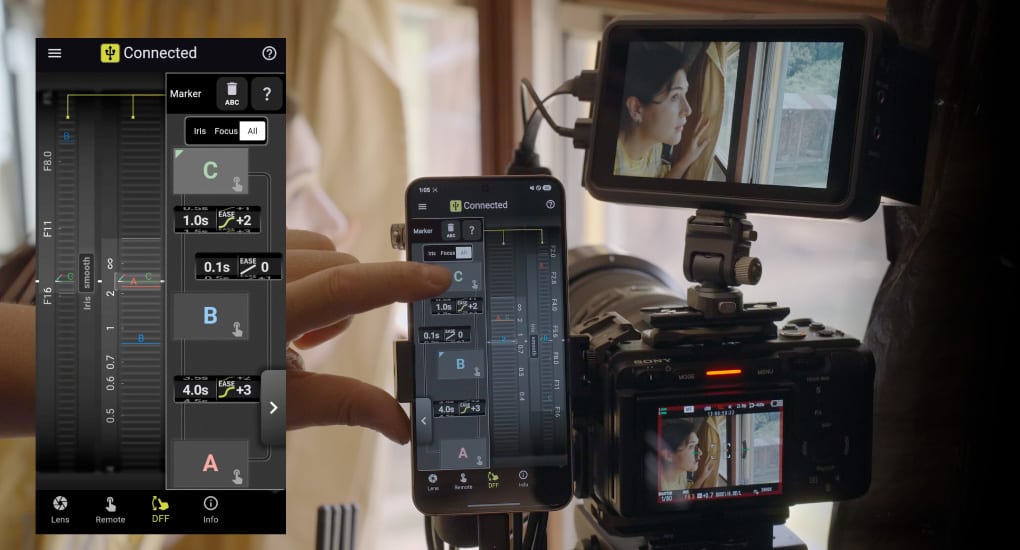
For videographers, the ability to control focus transitions is invaluable.
Digital Follow Focus (DFF) allows you to set focus points and transition between them seamlessly, giving your videos a professional look.
In Ver. 5.0, creators can now combine:
- Focus/Iris Marker Link
- Ring Stopper
- Selectable rotation angles
This delivers enhanced cinematic control similar to traditional cinema lenses.
Astrophotography
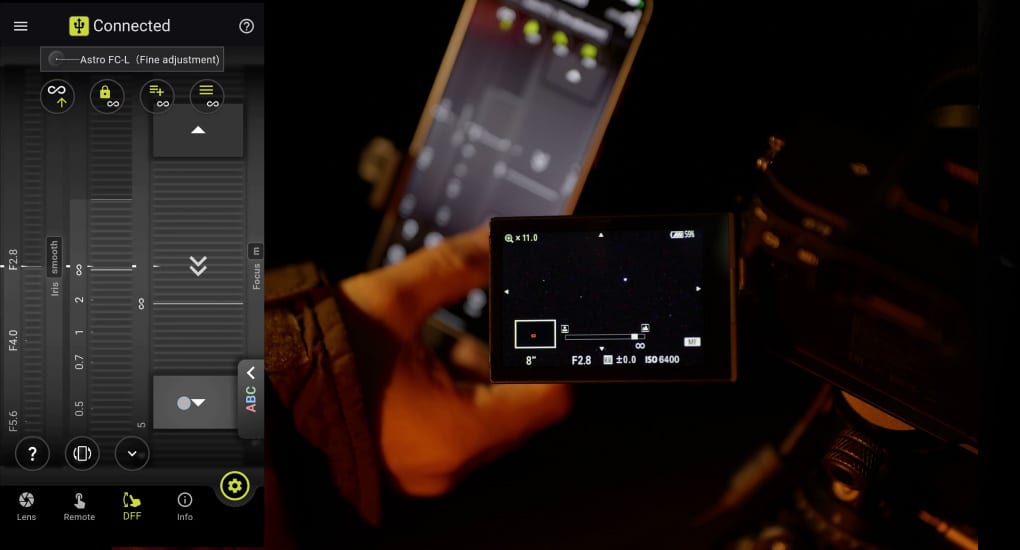
When shooting the night sky, maintaining sharp focus on distant stars can be challenging.
The Astro Focus Lock (Astro FC-L) feature keeps your lens locked at infinity focus. In Ver. 5.0, fine adjustment capabilities allow you to dial in and save precise focus positions based on your environment.
Combined with Night Mode, TAMRON Lens Utility™ makes night sky photography more efficient and repeatable.
Troubleshooting Tips and FAQs
Firmware Update Fails
Ensure that:
- Your lens is compatible with the latest version
- You are using the correct connection method
- Your device has stable power and connection
Focus Settings Aren’t Working as Expected
- Confirm that custom settings were saved properly
- Make sure lens firmware is up to date
Connection Issues
If your lens isn’t connecting:
- Verify you are using the correct cable or TAMRON-LINK™
- Restart the camera and software
Maximize Your Lens Performance
With TAMRON Lens Utility™ Software Ver. 5.0, you can take full control of your lens performance and make adjustments that match your shooting style.
Whether you’re a portrait photographer, filmmaker, or astrophotographer, this powerful lens control platform offers creative customization tools designed for modern hybrid creators.
Take your photography and videography to the next level by using TAMRON Lens Utility™ to unlock the full potential of your lenses.
Learn more about lenses compatible with TAMRON Lens Utility™ at an authorized Tamron dealer near you or shop directly at the official TAMRON Store.
FAQs About Tamron Lens Utility Version 5.0
Is TAMRON-LINK™ required for Android?
No. Android devices can connect using either TAMRON-LINK™ or a USB Type-C connection cable.
Does Night Mode affect lens performance?
No. Night Mode only changes the screen display to reduce eye strain during low-light shooting.
Where can I find the compatible lens list?
Tamron provides an updated compatibility chart on the TAMRON Americas website.
What is TAMRON Lens Utility™ used for?
TAMRON Lens Utility™ is a lens customization software that allows users to adjust focus behavior, assign functions, and control lens settings for video and photography.
Does TAMRON Lens Utility™ work with iPhone?
Yes. Version 5.0 supports iOS devices when used with the TAMRON-LINK™ wireless Bluetooth accessory.
What is TAMRON-LINK™?
TAMRON-LINK™ is a wireless accessory that connects compatible TAMRON lenses to smartphones via Bluetooth for cable-free lens control.
Can I update lens firmware with the mobile version?
No. Firmware updates must be completed using the PC version of TAMRON Lens Utility™.
What is Astro Focus Lock in TAMRON Lens Utility™?
Astro Focus Lock is a feature that locks focus at infinity for night sky photography. Version 5.0 adds fine adjustment and saved focus positions.